Never Miss Another Deal!

No Fuss Deal Surprise Me

Abacus Brands Virtual Reality Oceans Review: Excellent Educational Value with Hardware Limitations

The Abacus Brands Virtual Reality Oceans are an ocean book that borrows your phone, best for gift buyers for an ocean-minded 8 to 13 year old. Rated 4.4 out of 5 across 159 user ratings. The main drawback: compatibility is stated only in broad terms. We scored it 4.4 out of 5.

By Athena, Home & Family Editor Published February 7, 2026 Updated September 26, 2026
4.4Our score
Abacus Brands Virtual Reality Oceans! Gift Box - Illustrated Interactive VR Book and STEM Learning Activity Set - for Ages 8 and Up Abacus Brands Virtual Reality Oceans! Gift Box - Illustrated Interactive VR Book and STEM Learning Activity Set - for Ages 8 and Up, view 2 Abacus Brands Virtual Reality Oceans! Gift Box - Illustrated Interactive VR Book and STEM Learning Activity Set - for Ages 8 and Up, view 3 Abacus Brands Virtual Reality Oceans! Gift Box - Illustrated Interactive VR Book and STEM Learning Activity Set - for Ages 8 and Up, view 4 Abacus Brands Virtual Reality Oceans! Gift Box - Illustrated Interactive VR Book and STEM Learning Activity Set - for Ages 8 and Up, view 5
Product gallery, 5 images
$44.50$59.99 26% off Check price on Amazon

Prices shown were correct on September 26, 2026 and change frequently.

TL;DRThe Short Answer: Is the Abacus Brands Virtual Reality Oceans Worth It?

Most people buy this because a child has asked for a VR headset and nobody wants to spend standalone-device money finding out whether the interest lasts. On those terms it works: 96 illustrated pages about a submarine dive past sharks, jellyfish, whales and penguins, with the goggles as the reward at the end of a chapter rather than the point of the box, and a scratch art set that keeps going with no screen in the room. The catch is that Abacus Brands does not put a phone in the carton and the phone is not an accessory here - it supplies the screen, the processor, the motion sensing and the battery, so a household without a spare handset has bought a book. The recommended floor of eight is worth understanding too, because it is an optical limit rather than a caution: the lenses sit at a fixed spacing built for adult eyes, and a younger face cannot be adjusted to meet them.

NoFussDeal rates the Abacus Brands Virtual Reality Oceans 4.4 out of 5 at $44.50. Last updated September 26, 2026.

Key Facts

Item Dimensions
12.64 x 9.69 x 4.49 inches
Material Type
Plastic
Color
White
Item Weight
3 pounds
Age Range Description
Kid
Set Name
Abacus Brands Virtual Reality Oceans! Gift Box

What Stands Out

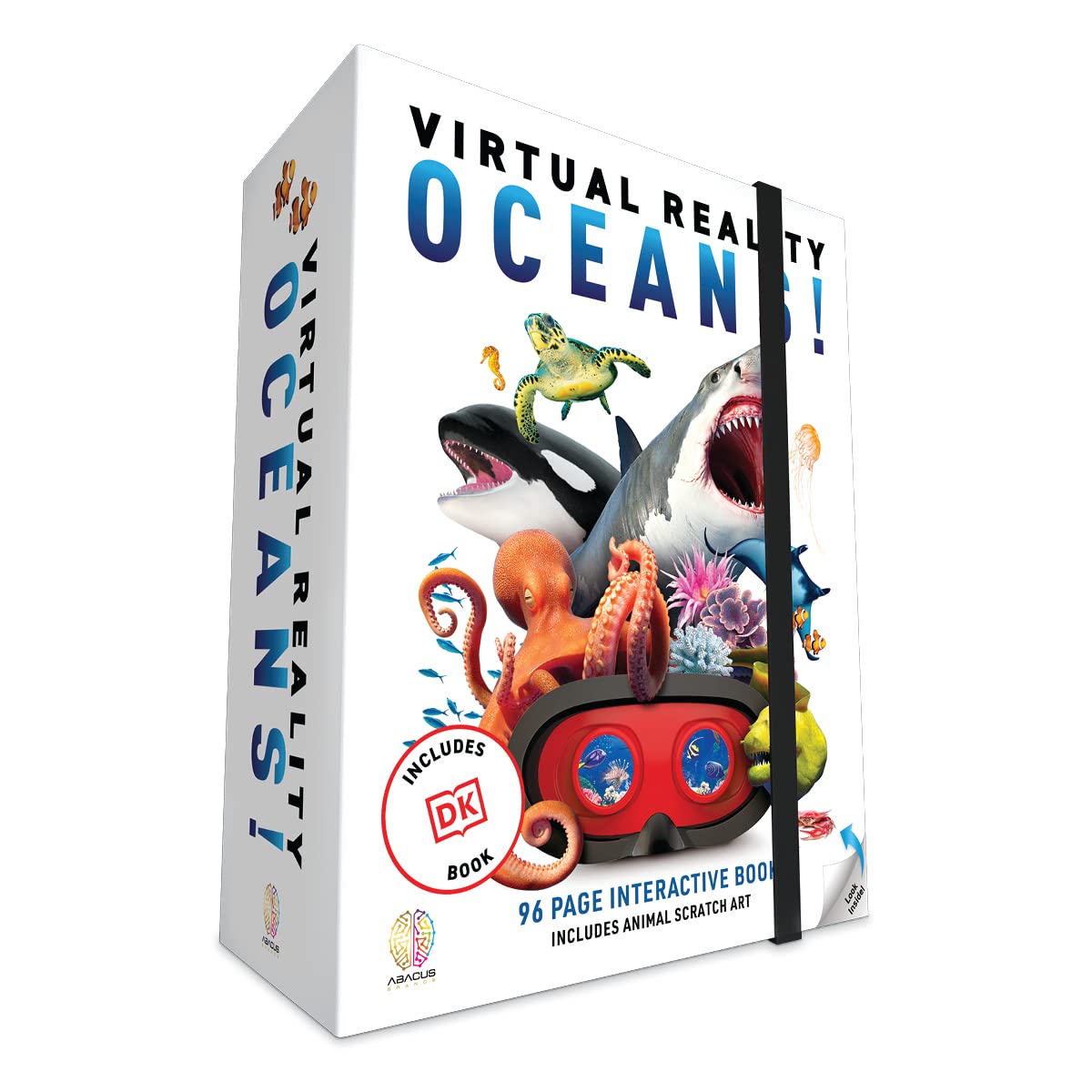
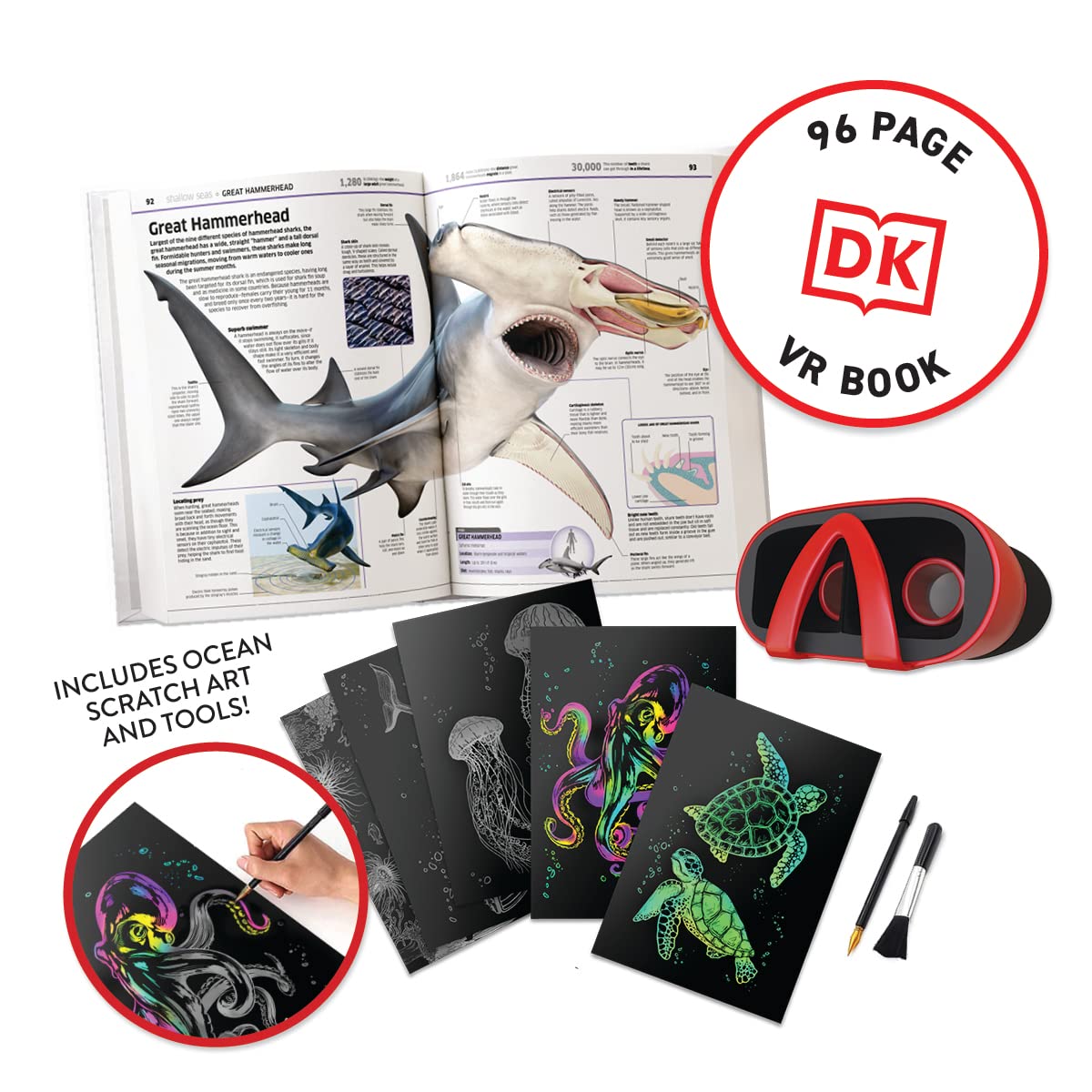
  1. Ninety-six interactive pages are the spine of the set, built around a deep submarine dive past great white sharks, jellyfish, whales, dolphins and penguins.
  2. The goggles hold a phone; they are not one. No battery, no screen, no processor, nothing to charge, nothing to update, and Abacus Brands supplies no handset.
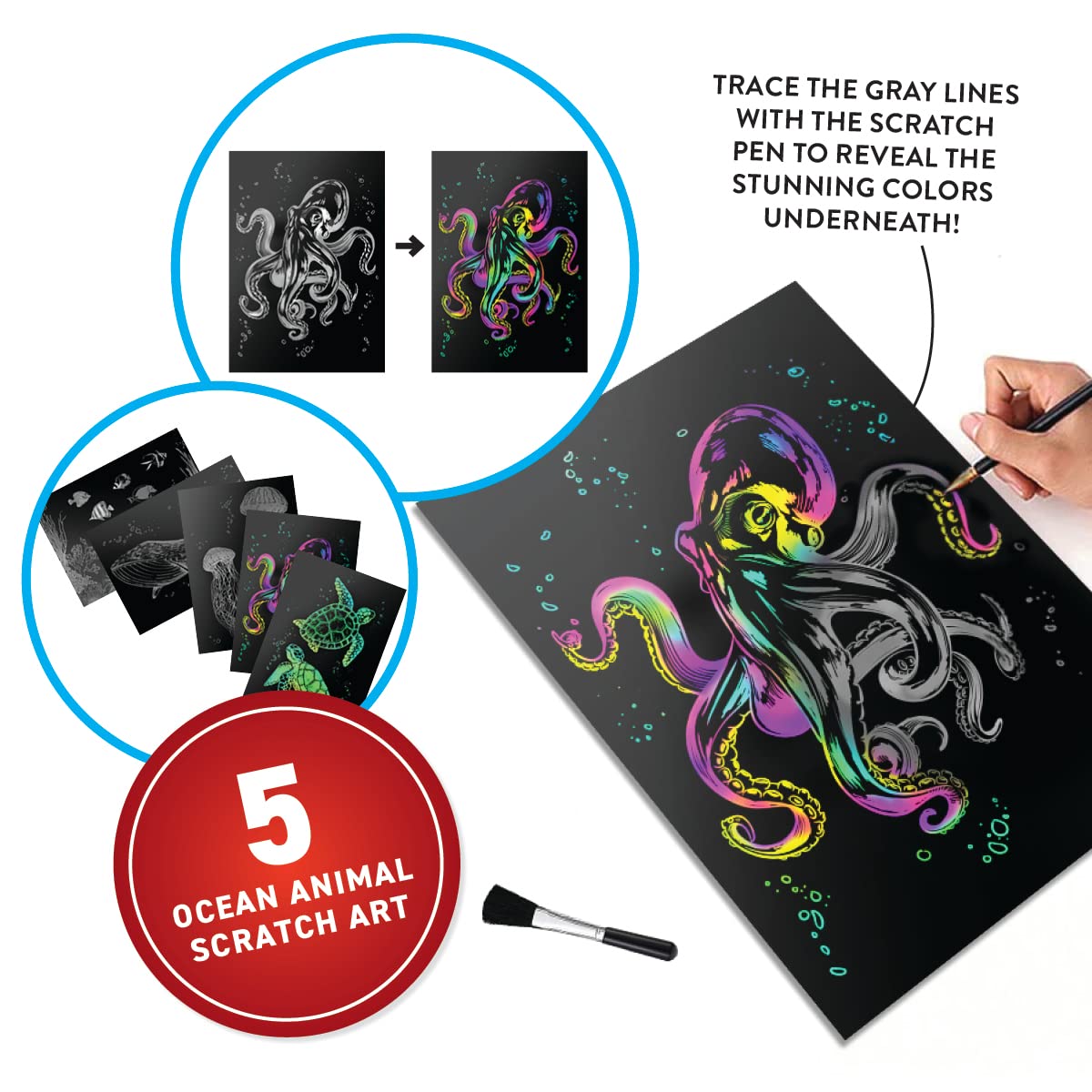
  3. A collectible scratch art set ships alongside the book, which gives the box a second activity that needs no phone in the room at all.
  4. Abacus Brands recommends ages 8 to 13, and that floor is largely optics: viewers of this class fix their lens spacing at an adult's eye separation, which a younger face does not match.

Strengths and Drawbacks

What works

  • The book is substantial rather than a pamphlet wrapped around a gadget: 96 interactive pages covering a deep submarine dive and the animals Abacus Brands names, from great white sharks and jellyfish to whales, dolphins and penguins.
  • It answers a specific parental problem, which is a child who has asked for a VR headset and a parent who does not want to buy a standalone device yet. It is something at least slightly educational rather than a mask for playing video games on.
  • The hardware is close to maintenance-free by design. There is no battery to fail, no firmware to update, no pairing, nothing to be discontinued and nothing to lose down the sofa except the goggles themselves.
  • Rotation-only tracking is a genuine safety feature for this audience, not a limitation to apologise for. Nothing in a seated look-around scene moves the viewer through a world while their inner ear insists they are still, which is the usual trigger for VR nausea.
  • It lasts past the novelty. A set expected to be used once can still be in use weeks later, and it can earn a second purchase for a younger grandchild the following Christmas.
  • It lands as a present. As a Christmas or birthday gift it tends to work, for a niece, a nephew, a grandchild or a friend's son, and it can end up a 9-year-old's favourite gift of the year.
  • The screen-free half carries real weight. The collectible scratch art and the book keep working with no phone anywhere in the room, which is most of the reason the set stays in use.
  • The value case is straightforward: a substantial book, a screen-free art activity and a viewer in one carton, and it entertains, delights and works as a gift.

What does not

  • No phone is included and the phone is not optional. In a house where the children have no handsets of their own, the set means commandeering one of the adults' for the whole sitting, with the screen bright, the battery falling faster than ordinary use and the handset warm by the end, which is a genuine household cost the box price does not show.
  • Compatibility is stated only in broad terms, smartphones with app-store access, which is no help at all if the handset you have in mind is an older hand-me-down. The current operating-system floor and the download size have to be checked on the app's own store page.
  • The app is storage-hungry and can take up a lot of memory on the phone it is installed on.
  • The lens spacing is fixed, as it is on every viewer of this class, and it is set for adult eyes. A younger child's pupils sit closer together, so the two halves of the image fuse less cleanly and the picture can look soft or faintly doubled with nothing the family can do about it.
  • Tracking is rotation only. Leaning in or stepping forward will not bring anything closer, and a child who has used a proper standalone headset at a friend's house will spot the difference within a minute.
  • Building into the wider catalogue is harder than it looks. Expansion packs can be mostly sold out on the publisher's own site, and the other themed sets arrive bundled with another pair of goggles a family that already owns a pair does not want.
  • There can be a slight learning curve before it works, though once it is running it tends to be thoroughly enjoyed.

Features in Depth

01

Ninety-Six Pages That Do the Teaching

Book 96 pages Ages 8–13 Theme Ocean / underwater (STEM)

The book is the product, and the goggles are the reason a child opens it. Abacus Brands builds the 96 pages around a deep submarine dive, meeting great white sharks, jellyfish, whales, dolphins and penguins on the way down, and sells the set as a STEM title for ages 8 to 13. That framing matters for how the set gets used. A spread supplies the names and the facts; the matching scene supplies the scale, which is the one thing a printed page cannot. Kept in that order, reading first and the viewer as the reward at the end of a chapter, the two reinforce each other. Reversed, a child flicks through scenes and skips the writing that makes this an education set rather than a toy. It works as intended: the book details the sea life, and a child can learn about the ocean while enjoying the creatures in the viewer. The book also has the longest life of anything in the carton. It needs no charge, no app and no phone, and together with the collectible scratch art it gives the box a screen-free half that keeps working long after the novelty of the goggles has settled.

$44.50 4.4/5 Check price
02

Goggles That Hold a Phone Rather Than Being One

Phone Not included Electronics in goggles None — phone supplies screen and sensors Controls Head movement, hands-free

The goggles contain no screen, no battery and no processor. They are a plastic shell with two lenses, and the smartphone dropped inside does every job. The app draws each scene twice, side by side and slightly offset; each lens magnifies its half so an eye can focus on a screen a few centimetres away, and the brain fuses the pair into one picture with depth. Turn your head and the phone's gyroscope and accelerometer report the rotation, so the view swings to follow. Abacus Brands calls the goggles hands-free, and that is the entire interface: the head is the controller. The trade is simple. There is nothing to charge, nothing to update, no pairing and no firmware to be abandoned, but the household supplies the most expensive part. Abacus Brands states compatibility broadly, as smartphones with access to an app store, so an older hand-me-down is worth checking against the app's own store page before the box is wrapped. Take any thick case off before seating the phone, and expect the handset to be committed for the whole session, screen bright and battery falling. Choosing it over a standalone headset on safety and budget grounds, and still getting a child who enjoys it enormously, is exactly the bargain on offer.

$44.50 4.4/5 Check price
03

Rotation-Only Tracking, and Why Sitting Still Helps

Tracking Head rotation only (3DoF) Best position Seated Walking through scenes Not supported

A phone viewer knows which way the head is pointing and nothing else. Look up toward the surface, down into the dark, over a shoulder at whatever just swam past, and the scene follows. Lean in toward a shark or take a step and nothing changes, because the phone senses the angle of the head, not its position in the room. This is what the field calls three degrees of freedom, and it is worth explaining before the first session, since a child's instinct to reach toward something interesting is immediate. For this audience it is a quiet safety feature rather than a shortcoming. The classic trigger for VR nausea is a world that carries the viewer somewhere while the inner ear insists the body is still, and a seated look-around scene never does that. The wobble that remains comes from the other direction: shift about or stand up and the picture refuses to move with you. So the fix is a single sentence a child can follow, sit down and stay sat, and it also keeps them clear of furniture they can no longer see. The American Academy of Pediatrics treats cybersickness as the main short-term risk of headset use, so stopping at the first hint of dizziness and coming back another day is always the right call.

$44.50 4.4/5 Check price
04

An Age Floor That Comes From Optics

Recommended ages 8–13 Lens spacing Fixed, no adjustment Best use Short, supervised, seated sessions

Abacus Brands recommends ages 8 to 13, and the lower figure is largely about optics rather than caution. An adult's pupils sit around 63 mm apart; a five-year-old's sit nearer 51 mm, and an eight-year-old lands between the two. Viewers built around a phone fix their lens spacing near the adult figure, with no adjustment, so a smaller face receives two images that fuse less cleanly and can look soft or faintly doubled. The same reasoning is why the large headset makers set their own floors between roughly ten and thirteen. On eye health, the American Academy of Ophthalmology reports no evidence that headset use damages a child's developing eyes. What is real is fatigue. People blink less at a close screen, and every stereoscopic display asks the eyes to hold focus at one fixed distance while converging on whatever depth the scene pretends to be, a mismatch known as vergence-accommodation conflict. Clinicians advise against immersive 3D altogether below about six, and a child with a squint or amblyopia may tire sooner than others. The routine that follows is unglamorous and effective: short, seated sessions in a shared room, real breaks between them, and a direct question about tired eyes every time.

$44.50 4.4/5 Check price

How We Scored It

Based on
The manufacturer's published specifications and the product's live Amazon listing.
Owner rating
4.4 out of 5 on Amazon, recorded September 26, 2026
How we score
We score each thing that comes up most in owner feedback on the Abacus Brands Virtual Reality Oceans! Gift. Three things come up most in owner feedback: all three draw praise. Its ratings average 4.4 stars (74% five stars, 9% four, 5% three and 12% one or two), so every score starts at 88, that average on a 100 point scale. Where opinion is split, we take off 6. Where it draws mostly complaints, we take off 12. Then we read ten owner reviews in full (every one we found gave it four or five stars) and move the score up to 5 points either way depending on how the owners who mention it rated the product. Our overall score starts from the same 4.4 star average and loses 0.1 for each thing that draws mostly complaints, with 0.1 more when at least a tenth of ratings are one star, never more than 0.3 in all. Nothing comes off here, so it stays at 4.4. Read our editorial standards

Enjoyment

Two of the ten owner reviews we read mention it. All of them gave the product four or five stars. Score 93: we started at 88 and added 5 because the owner reviews that mention it are positive.

93Positive

Gift

A perfect gift and very entertaining. Four of the ten owner reviews we read mention it. All of them gave the product four or five stars. Score 93: we started at 88 and added 5 because the owner reviews that mention it are positive.

93Positive

Entertainment

Three of the ten owner reviews we read mention it. All of them gave the product four or five stars. Score 93: we started at 88 and added 5 because the owner reviews that mention it are positive.

93Positive

Owner Satisfaction

74% of ratings are five stars and 9% are four. 5% are three stars and 12% are one or two. The spread skews positive, but enough ratings sit low that the drawbacks below are worth reading. Score 88: its 4.4 star average on a 100 point scale.

88Mostly Positive

Specifications

Size and weight

Item Dimensions
12.64 x 9.69 x 4.49 inches
Item Weight
3 pounds

Materials and warranty

Material Type
Plastic
Color
White

Performance

Age Range Description
Kid

Other specifications

Set Name
Abacus Brands Virtual Reality Oceans! Gift Box

What Buyers Say

Based on 159 Amazon customer ratings, averaging 4.4 out of 5, recorded 12 September 2026. See the reviews on Amazon

5 stars 75%
4 stars 8%
3 stars 5%
2 stars 5%
1 stars 7%
★★★★★

9 yo son's favorite Christmas gift!

My son asked for a VR for Christmas but I didn't want to give him the an actual VR device quite yet for safety and budget reasons. But he really enjoyed this so much that we subscribed to th… Read it on Amazon
KellyAnne80 · January 11, 2026 · Verified
★★★★★

Aquatic learning tool

My 10 year old grandson loves this. It comes with a book which details all of the aquatic life.
Belinda LaMaster · September 10, 2026 · Verified
★★★★★

Very entertaining

Got it for my nephew. He loves it.
Ruben Aydinyan · January 18, 2026 · Verified
★★★★★

Great!

My son loves learning about the ocean while viewing the beautiful sea creatures!
Mindee Roush · January 16, 2026 · Verified
★★★★☆

8 year old loves it, but wish there was an option for expansion without another set of goggles

This was a Christmas gift for our 8 year old who asked for a virtual reality mask, but I wanted something at least slightly educational vs a mask to play video games on. He loves all things … Read it on Amazon
Courtney · December 27, 2025 · Verified
★★★★★

Niece loved her gift.

Given at Christmas gift to my niece who loves it.
Jane Campbell · April 29, 2026 · Verified

Setting It Up

  1. Settle which phone this set will live on, before the box is opened

    This is the one thing that can make the gift unusable on the day, so decide it first. Abacus Brands includes the goggles and not a handset, and states compatibility only in general terms, so the operating-system floor and the download size are worth checking on the app's own store page rather than assumed. If the child has no phone, decide now whose gets borrowed, because the answer is not obvious at eight o'clock on Christmas morning. The proper solution is to dig out an old handset, wipe it, and set it up with nothing but the app on it. That single move fixes three problems at once. The child is not holding an adult's messages and photos, the app's storage demands land on a device nobody else needs, and the set can be picked up without asking anyone's permission. An old phone needs no SIM and no mobile plan for this, only enough free space and a wi-fi connection long enough to download.

  2. Unpack the box and hold something back

    The carton runs 3 pounds and 12.64 x 9.69 x 4.49 inches, and it contains a 96-page interactive book, a set of collectible scratch art and a pair of hands-free goggles. Resist opening all three at once. The scratch art is a separate, entirely screen-free activity and it is worth saving for a wet afternoon a fortnight later, which is a simple way to keep the box in use long after the first session. Check the book's binding and the goggles' lenses for shipping damage while the packaging is still around you, since a lens scuffed in transit is far easier to raise on day one than after the box has gone out with the recycling.

  3. Install the app yourself, before the set changes hands

    The ocean scenes live in an Abacus Brands app, not on the goggles, so nothing at all happens until the app is on the phone. Search the phone's app store for the publisher name printed on the box or in the book, and treat the store page as the authority on what the app needs and how large it is. Expect a substantial download: the app can take up a lot of space on the handset it goes on. Free up room first, install over wi-fi rather than mobile data, and then open it once yourself to clear any first-run account prompt or permission request. The motion permission matters most, because head tracking is simply unavailable without access to the phone's sensors. Doing this in advance means a child's first attempt is an ocean, not a setup screen.

  4. Start from the book, not from the app's menu

    The book is what has actually been paid for, and it is also the better route into each scene. Book-and-app sets of this kind link a spread to its matching experience with something printed on the page, so follow whatever the book itself prints rather than scrolling a list. The reason this matters is not fussiness. A child who opens the app and works down the menu will flip through the scenes and skip 96 pages of writing about submarine depth, shark biology and whale migration, which is the part that makes this a STEM set rather than a toy. The page supplies the context, the names and the facts; the scene supplies the look of the thing. Kept in that order, they reinforce each other. Reversed, one of them is wasted.

  5. Seat the phone, then set the fit

    Take the case off the phone first; a thick case is the usual reason a handset will not sit square in a holder, and forcing it is how something cracks. Centre the phone so the split image lines up with the two lenses, switch the app into its goggles mode before closing the holder rather than after, and raise the screen brightness, because the lenses and the enclosed shell make everything look darker than it did in the hand. Turn on do-not-disturb so a call does not land in the middle of a dive. Then have the child sit down and report what they see. One clear picture with depth means it is right. A doubled or persistently blurry picture almost always means the phone is off-centre or the shell is riding too high or too low on the face, and nudging either is faster than touching any setting. A younger child may need to hold the shell a fraction away from the face before the two halves fuse, which is normal for a viewer with fixed lens spacing and not a fault.

  6. Run the first session short, seated and in the room with you

    The first look around is the moment that sells the whole set, and it is also the moment a child is least likely to notice discomfort. Keep it brief, take the goggles off between scenes rather than running straight through, and stay nearby: paediatric guidance on children and virtual reality is consistent that sessions belong in shared spaces with proper breaks between them, not behind a closed bedroom door. Ask directly whether their eyes feel tired, because they will not say so unprompted and they blink far less than usual while a screen is that close. Stop for the day at any report of dizziness or queasiness. Have the child stay seated throughout, since the goggles remove the real room entirely. The set can hold attention long past the first day, with children still using it weeks later, and short sessions are exactly what protects that outcome.

Common Questions

Which phone do I need, and will it fit the goggles?

No phone comes in the box, and Abacus Brands describes compatibility broadly, as smartphones with access to an app store. That covers most current handsets, but the operating-system requirement and download size live on the app's own store page, so check them against the specific phone, especially an older hand-me-down. Take off any thick case before seating it; a case is the usual reason a phone will not sit square. One fix is worth copying: wipe an old phone and install nothing but the app, so no adult gives up a daily handset.

Is VR safe for my child's eyes?

The American Academy of Ophthalmology reports no evidence that headset use harms the development of a child's eyes. The real issue is fatigue. Children blink less at a close screen, and stereoscopic images ask the eyes to focus at one distance while converging at another, a mismatch called vergence-accommodation conflict. That tires eyes rather than damaging them. Keep sessions short, build in breaks, and ask whether their eyes feel tired, because children rarely say so unprompted. A child with a squint or amblyopia may tire sooner, so watch them more closely.

Why is it recommended for ages 8 and up?

Mostly because of fit. The lenses in a phone viewer sit at a fixed spacing close to an adult's pupil distance of around 63 mm, while a young child's pupils sit nearer 51 mm. By eight the gap has closed enough for the two images to fuse well; much younger, the picture can look soft or doubled. Clinicians also advise against immersive 3D altogether under about six. Five- to seven-year-olds can still enjoy it with an adult alongside, which is reasonable to try with supervision.

How long should a session be?

There is no magic number, and pediatric guidance frames it as short sessions with substantial breaks rather than one long run. A natural rhythm with this set is a scene or two, goggles off, then back to the book for the next chapter. Treat the first session as the shortest, because excitement masks discomfort. Stop at the first sign of dizziness, queasiness or eye-rubbing, and keep the child seated in a shared room. The phone sets a practical ceiling too, since it runs bright and warm and drains its battery faster than normal use.

Does any of it work without the goggles?

Most of the box does. The 96-page book reads perfectly well as a standalone ocean reference, from the submarine dive to the sharks, whales and penguins, and the collectible scratch art is an entirely screen-free activity. What needs the goggles is the immersive view, because the depth comes from the lenses fusing two slightly offset images into one; those split-screen images are not meant to be watched directly. And the goggles do nothing on their own, since every scene comes from the phone seated inside them.

What happens if the app or expansion packs aren't available?

The scenes live in the app, not the goggles, so the viewing half depends on the app staying in the stores and working on future phones, which is true of every book-plus-app set. Abacus Brands runs the same format across space, dinosaurs, history, transport and sharks, so it is a going concern rather than a one-season gadget. Expansion packs can be mostly sold out on the company's site, and other themed boxes come bundled with another pair of goggles. The book and scratch art keep working regardless.

On Video

6 videos

Abacus Brands Virtual Reality Sets

Yallatoys
All videos
  1. Abacus Brands Virtual Reality Sets Yallatoys
  2. Review of Abacus Brands Virtual Reality Human Body STEM Learning Set Bright Life Hub
  3. VR Dinosaurs Activity Set - CEO Review Abacus Brands Abacus Brands
  4. Virtual Reality Dinosaur Toy and activity set by DK Books and Abacus Brands Abacus Brands
  5. Deluxe Gift Sets with DK Books - by Abacus Brands Abacus Brands
  6. Virtual Reality Human Body! Abucus Brands From Costco SawDog 204

The Verdict

4.4Out of 5

Abacus Brands' Virtual Reality Oceans! gift box works because the book carries it. Ninety-six interactive pages on a deep submarine dive, great whites, jellyfish, whales, dolphins and penguins do the teaching, and the included hands-free goggles turn a phone the family already owns into the window. It entertains, children enjoy it, and it tends to land well as a present: a 9-year-old's favourite Christmas gift, a grandson's aquatic learning tool, children still using it weeks later. On the safety question parents will ask first, the answer is more reassuring than the internet suggests. Ophthalmologists report no evidence that headset use harms the development of children's eyes, and because this viewer tracks head rotation and nothing else, it never carries a child through a world their inner ear disagrees with, which is the usual cause of VR nausea. What is real is eye fatigue, from reduced blinking and from the mismatch between where the eyes focus and where they converge, so short seated sessions with proper breaks are the sensible default. The honest caveat is the phone: you supply it, it is committed for the whole session, compatibility is stated only in general terms, and the app can be hungry for storage. For a book-first gift with no hardware of its own to maintain, that is a fair trade.

Who should buy it

  • Parents of a child who wants a VR headset
  • Gift buyers for an ocean-minded 8 to 13 year old, provided the household has a spare smartphone the child is allowed to use. If that is at all uncertain, ask first; it is the one thing that can leave the set unopened.
  • Families willing to dedicate an old handset to it. Wiping an unused phone and setting it up with only the app on it removes the borrowed-phone argument entirely and puts the app's storage demands somewhere harmless.
  • Anyone who wants the screen-free half to count. The book and the collectible scratch art keep working with no phone anywhere in the room, which is most of the reason this stays in use rather than being played with once.
  • Households happy to run it the way any headset should be run for a child: seated, in a shared room, in short sessions with real breaks, and with someone asking whether their eyes feel tired.

Buy it for the book and treat the goggles as the hook that gets a child to open it. Still in use weeks after it was unwrapped, it does the job it is sold for, and it does it with less to worry about than a standalone headset: no battery, no firmware, no locomotion to make anyone queasy, and an age recommendation of 8 to 13 that sits exactly where the optics put it. Settle the phone question before you commit, because none is included, compatibility is described only in general terms, and the app has an appetite for storage. If the household cannot spare a handset, this is the wrong gift. If it can, it is a strong one.

Check price on Amazon

More Reviews