Never Miss Another Deal!

No Fuss Deal Surprise Me

Amazon Fire TV 50" 4-Series Review: Fast, Easy Budget 4K That Needs Help With Sound

The Amazon Fire TV 50" 4-Series are a fast easy budget 4K that needs help with sound, best for streaming households. Rated 4.2 out of 5 across 1,748 user ratings. The main drawback: sound quality is mixed. We scored it 4.2 out of 5.

By ZappyZep, Tech Editor Published April 5, 2026 Updated September 27, 2026
4.2Our score
Amazon Fire TV 50" 4-Series (newest model), 4K Ultra HD smart TV with Alexa Remote, HDR10+, fast processor, Dolby Audio, Ambient Experience, free and live TV, find shows faster with Alexa+ Amazon Fire TV 50" 4-Series (newest model), 4K Ultra HD smart TV with Alexa Remote, HDR10+, fast processor, Dolby Audio, Ambient Experience, free and live TV, find shows faster with Alexa+, view 2 Amazon Fire TV 50" 4-Series (newest model), 4K Ultra HD smart TV with Alexa Remote, HDR10+, fast processor, Dolby Audio, Ambient Experience, free and live TV, find shows faster with Alexa+, view 3 Amazon Fire TV 50" 4-Series (newest model), 4K Ultra HD smart TV with Alexa Remote, HDR10+, fast processor, Dolby Audio, Ambient Experience, free and live TV, find shows faster with Alexa+, view 4
Product gallery, 4 images

Prices shown were correct on September 27, 2026 and change frequently.

TL;DRThe Short Answer: Is the Amazon Fire TV 50" 4-Series Worth It?

A cheap smart TV usually saves money on the screen and makes you pay for it in a slow, cluttered menu. This Fire TV turns that around: the 4K picture is sharp, it sets up quickly, and the Wi-Fi 6 and quad-core processor keep apps opening fast. It suits anyone who streams most of what they watch. The catch is sound, which can be thin enough to warrant a soundbar.

NoFussDeal rates the Amazon Fire TV 50" 4-Series 4.2 out of 5 at $399.99. Last updated September 27, 2026.

What Stands Out

  1. 50-inch 4K Ultra HD panel with HDR10+, which Amazon says keeps detail visible in dark scenes
  2. Wi-Fi 6 and a new quad-core processor, so apps open quickly and menus stay smooth
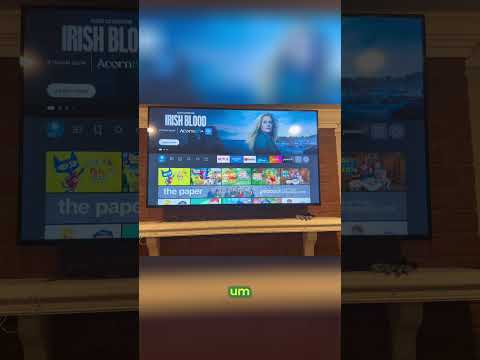
  3. The 2026 Fire TV interface with content categories, pinned apps and Alexa+ recommendations
  4. Omnisense sensors that wake the screen when you walk in, to show artwork or start watching
  5. Four HDMI inputs, AirPlay and Dolby Audio, plus cloud gaming through Amazon Luna and Xbox Game Pass

Strengths and Drawbacks

What works

  • The 4K picture is sharp and vibrant for films, shows and sport
  • Easy setup, and quick when the TV comes linked to your Amazon account
  • Wi-Fi 6 and a quad-core processor keep apps quick, with fast, smooth navigation and no freezing
  • Alexa+ voice search finds something to watch across your apps with a plain spoken request
  • Amazon Luna and Xbox Game Pass let you play games without owning a console
  • Four HDMI inputs and AirPlay give room for a soundbar, a console and a phone or tablet

What does not

  • Sound quality is mixed, and films may need a soundbar to be heard properly
  • Connectivity is mixed, with internet dropouts and trouble pairing other Alexa devices
  • The screen can be too bright at night even with the backlight turned down
  • Picture and setup can vary between units, and a replacement set can look better than the first

Features in Depth

01

4K UHD With HDR10+, Wi-Fi 6 and a Quad-Core Processor

Resolution 4K UHD, HDR10+ Processor Quad-core, Wi-Fi 6 Picture Quality Strong

Amazon pairs a 4K Ultra HD panel with HDR10+ for brighter, crisper images with better contrast, so detail holds up in dark scenes. A new quad-core processor and Wi-Fi 6 support are there to keep apps loading fast and the picture smooth. Picture quality is one of its clearest strengths: it is sharp and vibrant for films, shows and sport, and next to a far pricier Sony set from a few years ago it can be quicker to navigate and free of freezes. Omnisense sensors wake the display when you enter the room, either to show artwork or to let you start watching straight away.

$399.99 4.2/5 Check price
02

Cloud Gaming via Luna and Xbox Game Pass, With Four HDMI Inputs

Cloud Gaming Amazon Luna, Xbox Game Pass Latency Mixed Connections 4 HDMI inputs, AirPlay

Amazon Luna and Xbox Game Pass stream games straight to the TV with no console, and party games can use phones as controllers. Pair a controller and Xbox cloud play can be smooth on a stable connection, which is the key condition: latency is a mixed point, so fast, competitive games are the wrong test for streamed play. For a console, soundbar or other device there are four HDMI inputs, and AirPlay lets compatible devices share to the screen. Sound comes through Dolby Audio.

$399.99 4.2/5 Check price
03

Sound, Connectivity and Remote: the Mixed Points

Mixed Points Sound, connectivity, remote, latency, reliability Common Fix 5GHz Wi-Fi, soundbar Known Issues Connectivity, Alexa pairing, night brightness

Reliability, sound quality, latency, the remote and connectivity are all mixed, which is more weak spots than the picture reputation suggests. Connectivity problems centre on internet dropouts and on pairing with other Alexa devices; on a slow 2.4GHz network apps can drag, and moving to the 5GHz band fixes it. Sound is divisive: for many it is perfectly acceptable, but films at full volume can still sound too quiet, and a soundbar solves it. On the remote, volume buttons on the side would be welcome. The screen can also stay bright at night even with the backlight lowered.

$399.99 4.2/5 Check price
04

Easy Setup and Alexa+ Search: the Verdict

Setup Easy Voice Search Alexa+ on the remote Best For Streaming-first rooms

Easy setup is one of its clearest strengths: it is ready to use quickly, especially when it arrives already linked to your Amazon account, and it suits an RV install as well as a bedroom. Alexa+ lets you press the remote button and ask in plain speech for something to watch across your apps, control smart home devices, or ask general questions, and the Enhanced remote adds preset buttons for favourite apps. As a budget 4K smart TV it makes a strong case, as long as you go in expecting to fix sound with a soundbar and connection trouble with a good Wi-Fi band.

$399.99 4.2/5 Check price

How We Scored It

Based on
The manufacturer's published specifications and the product's live Amazon listing.
Owner rating
4.2 out of 5 on Amazon, recorded September 27, 2026
How we score
We score each thing that comes up most in owner feedback on the Amazon Fire TV 50" 4-Series. Eight things come up most in owner feedback: three draw praise and five split opinion. Its ratings average 4.2 stars (69% five stars, 10% four, 6% three and 15% one or two), so every score starts at 84, that average on a 100 point scale. Where opinion is split, we take off 6. Where it draws mostly complaints, we take off 12. Then we read eight owner reviews in full (every one we found gave it four or five stars) and move the score up to 5 points either way depending on how the owners who mention it rated the product. Our overall score starts from the same 4.2 star average and loses 0.1 for each thing that draws mostly complaints, with 0.1 more when at least a tenth of ratings are one star, never more than 0.3 in all. Nothing comes off here, so it stays at 4.2. Read our editorial standards

Quality

Six of the eight owner reviews we read mention it. All of them gave the product four or five stars. Score 89: we started at 84 and added 5 because the owner reviews that mention it are positive.

89Positive

Reliability

None of the eight owner reviews we read mention it. 21% of all ratings are three stars or fewer, which is where complaints like this usually sit. Score 78: we started at 84 and took off 6 because opinion is split.

78Mixed

Sound Quality

Excellent quality with good picture and sound. All of the eight owner reviews we read mention it, and those owners gave the product four or five stars, so the complaints come from the wider group of buyers. 21% of all ratings are three stars or fewer, which is where complaints like this usually sit. Score 78: we started at 84 and took off 6 because opinion is split.

78Mixed

Latency

None of the eight owner reviews we read mention it. 21% of all ratings are three stars or fewer, which is where complaints like this usually sit. Score 78: we started at 84 and took off 6 because opinion is split.

78Mixed

Remote Control

Three of the eight owner reviews we read mention it, and those owners gave the product four or five stars, so the complaints come from the wider group of buyers. None of the reviews we read say what goes wrong, so this score rests on the buyer ratings. 21% of all ratings are three stars or fewer, which is where complaints like this usually sit. Score 78: we started at 84 and took off 6 because opi…

Read the full note (414 characters)

Three of the eight owner reviews we read mention it, and those owners gave the product four or five stars, so the complaints come from the wider group of buyers. None of the reviews we read say what goes wrong, so this score rests on the buyer ratings. 21% of all ratings are three stars or fewer, which is where complaints like this usually sit. Score 78: we started at 84 and took off 6 because opinion is split.

78Mixed

Connectivity

Two of the eight owner reviews we read mention it, and those owners gave the product four or five stars, so the complaints come from the wider group of buyers. 21% of all ratings are three stars or fewer, which is where complaints like this usually sit. Score 78: we started at 84 and took off 6 because opinion is split.

78Mixed

Owner Satisfaction

69% of ratings are five stars and 10% are four. 6% are three stars and 15% are one or two. A sizable share of ratings sit low, so weigh the drawbacks below as heavily as the praise. Score 84: its 4.2 star average on a 100 point scale.

84Mostly Positive

What Buyers Say

Based on 1,748 Amazon customer ratings, averaging 4.2 out of 5, recorded 12 September 2026. See the reviews on Amazon

5 stars 69%
4 stars 10%
3 stars 5%
2 stars 4%
1 stars 12%
★★★★★

High quality and great price

For the price, this beats a lot for the picture quality. Bright is very high and at night it kind of sucks because it’s bright even when you lower the backlight. Super easy to set up and sta… Read it on Amazon
Andrew J. Sosa · September 6, 2026 · Verified
★★★★★

Great quality TV

Beautiful! I bought this to replace a Connex brand TV in RV. The picture is great! It was very easy to set up.I have not put it up in RV yet, but I don’t expect any issues. We have replace 3… Read it on Amazon
P.Lindsay · August 13, 2026 · Verified
★★★★★

Great TV at an affordable price!

awesome picture, corners are slightly black if not looking straight on doesn't bother me, the audio doesn't sound terrible like other reviews I read, had to hook it to the 5GHz wifi band fro… Read it on Amazon
Kent · July 17, 2026 · Verified
★★★★☆

Pretty nice TV with some quirks

I bought this TV to replace the original element Fire TV Edition TV I have had for years. This was supposed to have better quality picture but when I received it the picture was much worse. … Read it on Amazon
Scot · June 27, 2026 · Verified
★★★★★

Great TV

Very happy with this TV!I got this on 35% off sale and it feels like the deal of a lifetime.I spent $700 for a Sony TV the same size a few years ago...thinking "good reviews...it's Sony..wha… Read it on Amazon
Oredge · June 22, 2026 · Verified
★★★★★

The Best Budget 4K TV I’ve Ever Owned!

⭐⭐⭐⭐⭐ Absolutely amazing TV!I honestly didn’t expect this TV to be this good. The 4K UHD picture quality is sharp, vibrant, and looks fantastic whether you’re watching movies, TV shows, or s… Read it on Amazon
jonathan · July 16, 2026 · Verified

Setting It Up

  1. Choose Wall or Stand

    Decide whether the TV goes on the wall or on furniture before unboxing. It is light and easy to wall mount, but check the mounting pattern and screw size in the manual against your bracket first, and use two people to lift a 50-inch panel.

  2. Connect Your Devices

    Plug in power, then connect any soundbar, console or player to the four HDMI inputs. If you plan to add a soundbar, as many will, connect it now so you can set up audio in one go.

  3. Sign In and Connect to Wi-Fi

    Follow the on-screen setup, join your network and sign in with your Amazon account. If the TV arrives linked to your account, setup is quick. Where your router offers both bands, pick the 5GHz one: apps can be too slow on 2.4GHz and fine on 5GHz.

  4. Let It Update

    Allow the TV to install any software update it finds during setup before you start adjusting settings, so you are working with the current version of the Fire TV interface.

  5. Adjust the Picture

    Try the picture modes with something you watch often and adjust from there. Picture can vary between sets: a replacement unit can look better than the first side by side, so if the image still looks dull after adjusting, contact support.

  6. Pin Apps and Set Up Alexa+

    Pin the apps you use most to the home screen and try Alexa+ with the voice button on the remote. If you link Echo devices, note that the TV may only answer to its Fire TV name rather than a custom one.

Common Questions

Is it any good for gaming?

For casual play it works well. Amazon Luna and Xbox Game Pass stream games without a console, and Xbox cloud play can be smooth on a stable connection. Latency is a mixed point, though, so a strong connection matters, and fast competitive games are not where streamed play shines.

How is the built-in sound?

Sound is divisive. For many it is perfectly acceptable, and it can be better than an older TV's, but films at full volume can still sound too quiet, and a soundbar fixes that. With Dolby Audio and four HDMI inputs, adding one is straightforward.

I've heard about connectivity issues. How common are they?

Connectivity is a mixed point, with internet dropouts and trouble pairing other Alexa devices in some homes. Most sets connect without trouble. If apps feel slow, try the 5GHz band on your router, which can fix it.

Can I make the screen dimmer for nighttime viewing?

You can lower the backlight, but the screen can still be bright at night even so. If you watch mostly in a dark room, try the picture modes early, while you can still return the set.

Is the remote easy to use?

The Alexa Voice Remote Enhanced has preset buttons for favourite apps and a voice button for Alexa+. The remote is a mixed point, and there are no volume buttons on the side.

Is it good for streaming and finding shows quickly?

Yes. Alexa+ lets you ask for something to watch in plain speech and searches across your apps, and the 2026 interface adds content categories, pinned apps and personal picks. Navigation is fast, with apps opening quickly.

On Video

6 videos

Amazon Fire TV 43" 4-Series 4K UHD Smart TV Review 2024

Tech With Tobias
All videos
  1. Amazon Fire TV 43" 4-Series 4K UHD Smart TV Review 2024 Tech With Tobias
  2. Amazon Fire TV 4-Series Review - Cheap but Disappointing RTINGS Home Theater
  3. Amazon Fire TV 4-Series (50", 2024) Review: Best Budget 4K Smart TV This Year? Cain Brands Reviews
  4. Amazon Fire TV 50” 4-Series Review (2024) | Best Budget 4K Smart TV with Alexa Tech guru
  5. Amazon Fire TV Omni QLED vs 4-Series 43" Smart TV COMPARISON Just A Dad Tips
  6. Amazon Fire TV Omni QLED TV Review | Alexa, fired up Digital Trends

The Verdict

4.2Out of 5

The Amazon Fire TV 50" 4-Series gets the parts of a budget smart TV that you notice every day right. Its 4K picture with HDR10+ is sharp, setup is easy, and Wi-Fi 6 with a quad-core processor keeps the redesigned Fire TV interface quick, with Alexa+ finding shows across your apps from a spoken request. Cloud gaming through Amazon Luna and Xbox Game Pass, four HDMI inputs and AirPlay round it out. The weaker points are consistent: sound that can need a soundbar, connections that can drop or struggle with other Alexa devices, and a screen that can be too bright at night. For streaming households who accept those trade-offs, it is good value.

Who should buy it

  • Streaming households who want apps built into the screen
  • Anyone furnishing a bedroom, second room or RV who wants a light, easy-to-mount 4K set
  • Amazon and Alexa users who want to find shows and control smart home devices by voice from the remote
  • Casual gamers who want to try Xbox Game Pass or Amazon Luna without buying a console
  • Buyers happy to add a soundbar for fuller sound, since there are four HDMI inputs to plug one into

Buy it for the picture, the quick interface and the easy setup; budget for a soundbar and give it a strong Wi-Fi connection, and it makes a strong everyday streaming TV.

Check price on Amazon

More Reviews