Google TV Interface and Recommendations
Google TV gathers films and shows from your services onto one home screen, recommends titles for each person in the household, and keeps a watchlist you can add to from your phone or Google Search.
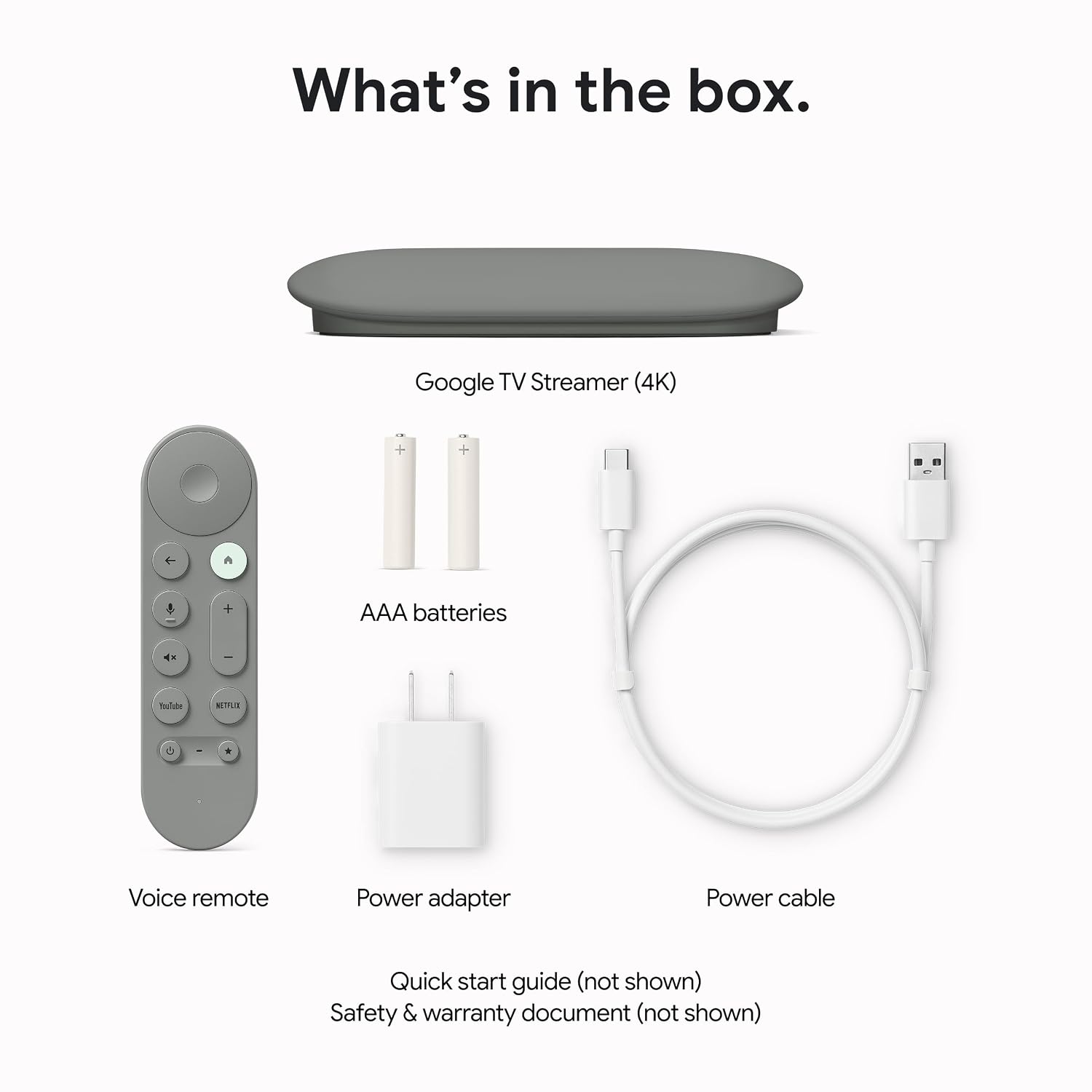
The Google TV Streamer 4K is a faster Google TV box, best for Google Home households. The main drawback: no HDMI cable in the box. We scored it 4.0 out of 5.
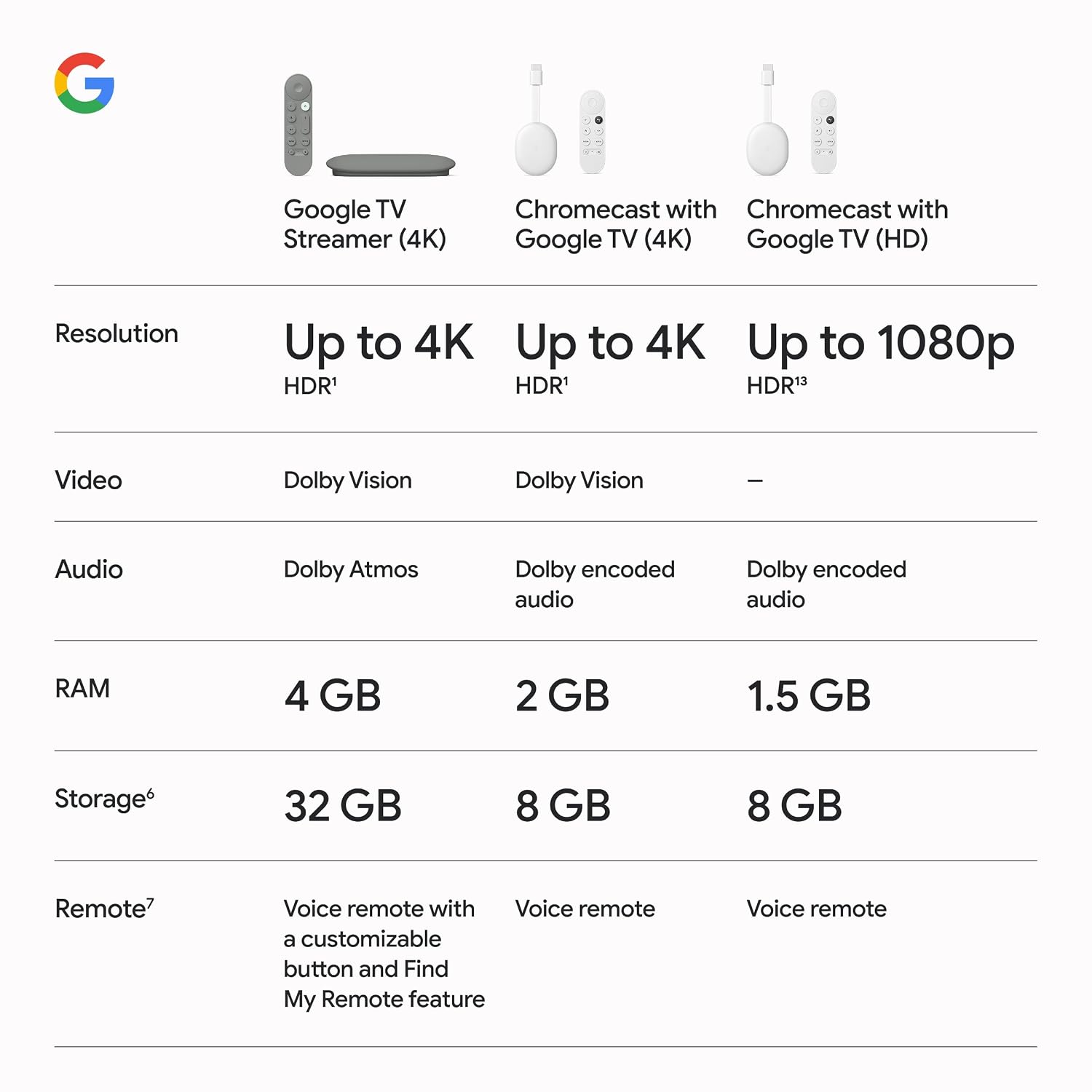
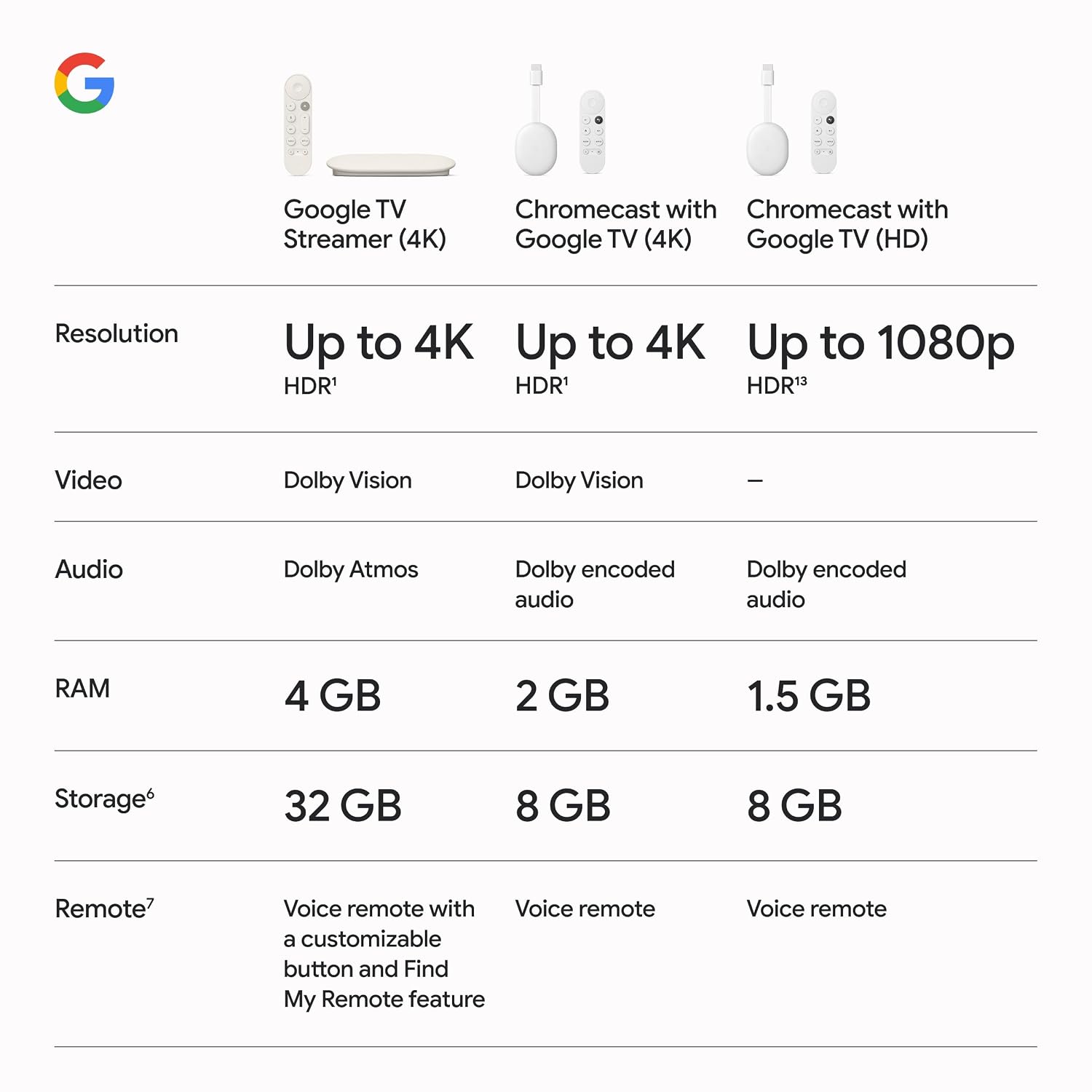
Speed and space are what this box fixes. Google says the Streamer's processor is 22% faster and its memory double that of the previous generation, with 32 GB of storage, which addresses the lag and app-juggling that made older Google TV sticks frustrating. The trade is a box that needs a spot on the shelf and an HDMI cable you buy separately.
NoFussDeal rates the Google TV Streamer 4K 4.0 out of 5 at $19.99. Last updated September 26, 2026.
Google TV gathers films and shows from your services onto one home screen, recommends titles for each person in the household, and keeps a watchlist you can add to from your phone or Google Search.
Google rates the processor 22% faster than the previous generation, with twice the memory and 32 GB of storage for apps.
Video goes up to 4K HDR with Dolby Vision, and you can connect speakers that support Dolby Atmos. An HDMI 2.1 cable is required and is sold separately.
The voice remote searches for shows, answers questions and controls smart home devices. A customizable button opens a favourite app or the home panel in one press, and the remote can be made to ring when it goes missing.
Place the Streamer near the TV and connect it to a free HDMI port with an HDMI 2.1 cable, which is sold separately. Plug in the power adapter.
Fit the included batteries in the voice remote. It pairs as the TV shows the setup screen. Follow the prompts if it asks you to press buttons to pair.
Use the Google Home app on your phone to speed up setup, or follow the on-screen steps to join Wi-Fi and sign in with your Google account.
Let setup configure the remote's power, volume and input buttons for your TV and any soundbar, so one remote runs everything.
Pick the streaming services you subscribe to so the home screen and recommendations draw on them, then install and sign in to each app.
Create a profile for each person in the household so recommendations and watchlists stay personal.
For most buyers, yes: we score it 4.0 out of 5. The Google TV Streamer (4K) is Google TV finally running on hardware with room to breathe.
A box that needs shelf space rather than a stick behind the TV. Smart home extras depend on Google Home.
When the TV sits idle, the screensaver can show your Google Photos albums, artwork, the weather or a clock.
Google TV Streamer (4K) Review - 6 Months Later
6 Months Later
Google Streamer 4K Review | Almost Perfect!
NewEsc Tech
I tried the Google TV Streamer for a week... Here is what you need to know
UG Tech
Testing the NEW Google TV Streamer 4K - Worth the Money?
Chigz Tech Reviews
Google TV Streamer 4K Unboxing!
Tim Schofield
Unboxing the new Google TV Streamer 4K #Google #ASMR #GoogleTV
Google
The Google TV Streamer (4K) is Google TV finally running on hardware with room to breathe. A faster processor, double the memory of the previous generation and 32 GB of storage deal with the slowdowns and storage warnings that dogged older sticks. Dolby Vision and Atmos cover a good home cinema setup, and the customizable remote button, ring-to-find and home panel make daily use easier, especially in a Google Home household. The compromises are minor but real: no HDMI cable in the box, a box that needs shelf space, and a busy home screen full of promoted titles.
A clear upgrade over Google's old streaming stick and a strong choice for Google Home users. Order an HDMI cable with it, and look elsewhere if you want a stick you can hide behind the TV.
Check price on Amazon