Never Miss Another Deal!

No Fuss Deal Surprise Me

Philips Wi-Fi Smart Deadbolt Review: Hub-Free Wi-Fi Deadbolt That Eats Batteries

Philips's Wi-Fi Smart Deadbolt replaces an ordinary deadbolt with a keypad lock that opens by fingerprint, passcode, app, voice or physical key, and connects straight to your home Wi-Fi with no hub. It installs with a screwdriver and packs in scheduled guest codes, alerts and an Away Mode. The things to weigh are what that always-on Wi-Fi costs in batteries and how dependable it proves over time.

By ZappyZep, Tech Editor Published September 27, 2026 Updated November 3, 2026
4.1Our score
Philips Wi-Fi Smart Deadbolt Lock, Keyless Entry Door Locks for Front Door Philips Wi-Fi Smart Deadbolt Lock, Keyless Entry Door Locks for Front Door, view 2 Philips Wi-Fi Smart Deadbolt Lock, Keyless Entry Door Locks for Front Door, view 3 Philips Wi-Fi Smart Deadbolt Lock, Keyless Entry Door Locks for Front Door, view 4 Philips Wi-Fi Smart Deadbolt Lock, Keyless Entry Door Locks for Front Door, view 5 Philips Wi-Fi Smart Deadbolt Lock, Keyless Entry Door Locks for Front Door, view 6 Philips Wi-Fi Smart Deadbolt Lock, Keyless Entry Door Locks for Front Door, view 7 Philips Wi-Fi Smart Deadbolt Lock, Keyless Entry Door Locks for Front Door, view 8 Philips Wi-Fi Smart Deadbolt Lock, Keyless Entry Door Locks for Front Door, view 9 Philips Wi-Fi Smart Deadbolt Lock, Keyless Entry Door Locks for Front Door, view 10
Product gallery, 10 images

Prices shown were correct on November 3, 2026 and change frequently.

TL;DRThe Short Answer: Is the Philips Wi-Fi Smart Deadbolt Lock Worth It?

Built-in Wi-Fi is the reason to pick this deadbolt, and the batteries pay for it: remote locking, real-time alerts and voice control work without a hub, but battery life draws the most complaints, and reliability draws more complaints than praise too. An always-listening Wi-Fi radio drains its eight AA batteries far faster than a Bluetooth lock would. You also get five ways in, including fingerprint, and up to 100 passcodes with scheduled guest access. Choose it if hub-free remote access matters and you will keep spare AAs by the door.

NoFussDeal rates the Philips Wi-Fi Smart Deadbolt Lock 4.1 out of 5 at $79.97. Last updated November 3, 2026.

Key Facts

Item dimensions L x W x H
6 x 2 x 1.5 inches
Material
Aluminum
Color
Matt Black
Item Weight
1.4 pounds
Special Feature
Anti-Peeping Password, Auto-Lock, Fingerprint, Passcode Unlock, Remote Unlock
Control Method
App, Remote, Voice

What Stands Out

  1. Unlocks by app, passcode, fingerprint, physical key or voice through Alexa and Google Assistant.
  2. Built-in 2.4GHz Wi-Fi for remote locking and alerts with no extra hub; keep the router within 65 feet.
  3. Up to 100 custom passcodes, plus unlimited one-time or scheduled codes for guests and cleaners.
  4. Auto-lock after 10 to 180 seconds, and an Away Mode that disables everything but the master code.
  5. Fits doors 1-3/8 to 2 inches thick and installs with a screwdriver.
  6. Real-time alerts and a full access history; runs on AA alkaline batteries, not included.

Strengths and Drawbacks

What works

  • Built-in Wi-Fi gives remote control, alerts and voice commands without a separate hub.
  • Five ways in, including fingerprint and backup physical keys.
  • Up to 100 passcodes plus scheduled guest codes suit families, rentals and dog walkers.
  • Installs with just a screwdriver on doors 1-3/8 to 2 inches thick.
  • Away Mode and a full access history add real peace of mind.
  • A clean, modern look in brushed matt black aluminum.

What does not

  • Battery life draws the most complaints, and it needs eight AA alkaline batteries at a time.
  • Reliability draws more complaints than praise; one lock stopped locking from the app after a month.
  • Wi-Fi works on 2.4GHz only, and connection quality is mixed.
  • Auto-lock has no door sensor, so it can throw the bolt while the door stands open.
  • Fingerprint enrollment takes patience, and recognition is mixed.

Features in Depth

01

Five Ways to Unlock

Unlock Methods App, passcode, fingerprint, key, voice Voice Assistants Alexa, Google Assistant Keypad Backlit touchscreen, anti-peeping

The lock opens by app, passcode, fingerprint, physical key or voice through Alexa or Google Assistant, so every member of a household can use whichever suits them. The fingerprint reader stores several prints and unlocks with one touch, and one owner says it has worked every time. Recognition does split opinion, though, and enrollment takes a knack: one owner's thumb was not accepted until they moved it around the pad so the app could capture enough points. Enrolling two fingers per person, and re-enrolling in dry winter months when prints are harder to read, keeps frustration down. The backlit touchscreen makes the keypad usable at night, and the anti-peeping password lets you type extra digits before or after your code so a watcher cannot learn it. The physical key matters more than it might seem: it is the one route in that works when batteries die or the electronics fail, so keep one outside the house, not just on the kitchen counter.
$79.97 4.1/5 Check price
02

Built-In Wi-Fi Without a Hub

Connectivity Built-in Wi-Fi, 2.4GHz only Router Distance Within 65 feet Hub Required No

Wi-Fi is built into the lock, so remote locking and unlocking, real-time alerts and voice control work from anywhere without a separate bridge. That is the single biggest difference from most Bluetooth smart locks, which need an extra plug-in hub for the same features. One owner notices how quickly notifications arrive, and another integrates the lock with Home Assistant for home automation, though the app will only keep one login active at a time, so a second account is needed for that. The limits are worth knowing. It connects on 2.4GHz only, and Philips recommends the router be within 65 feet of the lock. Wi-Fi connectivity splits opinion, pairing easily for many and dropping for others, which usually comes down to signal strength at the door. A mesh node or extender near the entrance often settles it. The app also asks for camera access, which one privacy-minded owner questioned.

$79.97 4.1/5 Check price
03

Codes, Schedules and Away Mode

Custom Passcodes Up to 100 Auto-Lock Delay 10 to 180 seconds Door Sensor None

Access control is where this lock earns its keep for busy households and rentals. You can create up to 100 custom passcodes, and send unlimited one-time or scheduled codes to guests, cleaners or deliveries. One owner gives the regular dog walker permanent access while a backup walker's code only works on weekdays between set hours, and can unlock remotely if someone arrives early. Codes can be reviewed later in the app if you forget them, and a full history shows who opened the door and when. Auto-lock throws the bolt after anything from 10 to 180 seconds, which is useful when you leave with full hands. Because there is no door sensor, though, the lock cannot tell whether the door is closed, and auto-lock is one of the features that splits opinion; one owner found it extending the bolt while the door was left open. Away Mode disables every unlock method except the master code, a sensible setting before a long trip.

$79.97 4.1/5 Check price
04

Installation, Batteries and Reliability

Door Thickness 1-3/8 to 2 inches Power AA alkaline batteries (not included) Material Aluminum

Installation needs only a screwdriver and fits doors 1-3/8 to 2 inches thick. One owner swapped out the old lock in about twenty minutes; another, new to smart locks, took about an hour and found the key step was twisting the latch barrel so it extends to fit the door. Philips stresses routing the cable underneath the latch and seating the tailpiece properly for reliable operation. One owner also found the interior mounting screws short for their door. The body is aluminum in a brushed matt black finish. Batteries are the ongoing cost. It takes eight AA batteries, not included, and Philips specifies alkaline LR6 cells; battery life draws the most complaints of anything, with one owner getting six months or less. Reliability also draws more complaints than praise: one lock stopped locking from the app after a month until Philips support fixed it. US-based phone support runs weekdays and Saturdays, with email around the clock.

$79.97 4.1/5 Check price

How We Scored It

Based on
The manufacturer's published specifications and the product's live Amazon listing.
Owner rating
4.3 out of 5 on Amazon, recorded November 3, 2026
How we score
We score each thing that comes up most in owner feedback on the Philips Wi-Fi Smart Deadbolt Lock. Eight things come up most in owner feedback: two draw praise, four split opinion and two draw mostly complaints. Its ratings average 4.3 stars (70% five stars, 12% four, 6% three and 12% one or two), so every score starts at 86, that average on a 100 point scale. Where opinion is split, we take off 6. Where it draws mostly complaints, we take off 12. Then we read eight owner reviews in full (every one we found gave it four or five stars) and move the score up to 5 points either way depending on how the owners who mention it rated the product. Our overall score starts from the same 4.3 star average and loses 0.1 for each thing that draws mostly complaints, with 0.1 more when at least a tenth of ratings are one star, never more than 0.3 in all. Here that takes off 0.2, which gives 4.1. Read our editorial standards

Ease Of Use

Five of the eight owner reviews we read mention it. All of them gave the product four or five stars. Score 91: we started at 86 and added 5 because the owner reviews that mention it are positive.

91Positive

Fingerprint

Five of the eight owner reviews we read mention it, and those owners gave the product four or five stars, so the complaints come from the wider group of buyers. None of the reviews we read say what goes wrong, so this score rests on the buyer ratings. 18% of all ratings are three stars or fewer, which is where complaints like this usually sit. Score 80: we started at 86 and took off 6 because opin…

Read the full note (413 characters)

Five of the eight owner reviews we read mention it, and those owners gave the product four or five stars, so the complaints come from the wider group of buyers. None of the reviews we read say what goes wrong, so this score rests on the buyer ratings. 18% of all ratings are three stars or fewer, which is where complaints like this usually sit. Score 80: we started at 86 and took off 6 because opinion is split.

80Mixed

Wifi Connectivity

Four of the eight owner reviews we read mention it, and those owners gave the product four or five stars, so the complaints come from the wider group of buyers. None of the reviews we read say what goes wrong, so this score rests on the buyer ratings. 18% of all ratings are three stars or fewer, which is where complaints like this usually sit. Score 80: we started at 86 and took off 6 because opin…

Read the full note (413 characters)

Four of the eight owner reviews we read mention it, and those owners gave the product four or five stars, so the complaints come from the wider group of buyers. None of the reviews we read say what goes wrong, so this score rests on the buyer ratings. 18% of all ratings are three stars or fewer, which is where complaints like this usually sit. Score 80: we started at 86 and took off 6 because opinion is split.

80Mixed

Auto-Locking

None of the eight owner reviews we read mention it. 18% of all ratings are three stars or fewer, which is where complaints like this usually sit. Score 80: we started at 86 and took off 6 because opinion is split.

80Mixed

Reliability

None of the eight owner reviews we read mention it. 18% of all ratings are three stars or fewer, which is where complaints like this usually sit. Score 74: we started at 86 and took off 12 because it draws mostly complaints.

74Needs Improvement

Battery Life

Six of the eight owner reviews we read mention it, and those owners gave the product four or five stars, so the complaints come from the wider group of buyers. None of the reviews we read say what goes wrong, so this score rests on the buyer ratings. 18% of all ratings are three stars or fewer, which is where complaints like this usually sit. Score 74: we started at 86 and took off 12 because it d…

Read the full note (423 characters)

Six of the eight owner reviews we read mention it, and those owners gave the product four or five stars, so the complaints come from the wider group of buyers. None of the reviews we read say what goes wrong, so this score rests on the buyer ratings. 18% of all ratings are three stars or fewer, which is where complaints like this usually sit. Score 74: we started at 86 and took off 12 because it draws mostly complaints.

74Needs Improvement

Owner Satisfaction

70% of ratings are five stars and 12% are four. 6% are three stars and 12% are one or two. The spread skews positive, but enough ratings sit low that the drawbacks below are worth reading. Score 86: its 4.3 star average on a 100 point scale.

86Mostly Positive

Value for Money

Four of the eight owner reviews we read mention it, and those owners gave the product four or five stars, so the complaints come from the wider group of buyers. 18% of all ratings are three stars or fewer, which is where complaints like this usually sit. Score 80: we started at 86 and took off 6 because opinion is split.

80Mixed

Specifications

Size and weight

Item dimensions L x W x H
6 x 2 x 1.5 inches
Item Weight
1.4 pounds

Materials and warranty

Material
Aluminum
Color
Matt Black

Other specifications

Special Feature
Anti-Peeping Password, Auto-Lock, Fingerprint, Passcode Unlock, Remote Unlock
Control Method
App, Remote, Voice

What Buyers Say

Ease of use and appearance draw the most praise: the lock looks good, the app is straightforward, and installation is well within reach of a confident DIYer. The fingerprint reader, value, Wi-Fi connection and auto-lock all split opinion, working smoothly for many and frustrating others. Battery life and reliability are the two themes that draw more complaints than praise. Batteries run down far faster than on a Bluetooth-only lock, and some locks stop locking or responding properly after weeks or months, though Philips support has stepped in to fix at least one.

Based on 1,171 Amazon customer ratings, averaging 4.3 out of 5, recorded 26 September 2026. See the reviews on Amazon

5 stars 70%
4 stars 12%
3 stars 6%
2 stars 3%
1 stars 9%
★★★★★

Excellent smart lock!

So far, I’ve been very impressed with the Philips Wi-Fi Door Lock. The installation was straightforward (at least on my door) and the app was easy to set up. Being able to lock and unlock my… Read it on Amazon
Annie Kula · July 25, 2026 · Verified
★★★★★

Nice lock. Many options to unlock the door.

This was the first time I had to replace my Schlage lock pad. It was installed by my brother in law back in 2019-2020. I didn't know what happened but the lock kept slipping even after reset… Read it on Amazon
Bryan Y. · September 9, 2026 · Verified
★★★★★

Overall a good Deadbolt lock

For some reason the app wants access to my phone camera, I'm careful as to giving apps access to my camera. Installation was fair easy, during the installation of the interior assembly, the … Read it on Amazon
Maurice Velez · September 8, 2026 · Verified
★★★★★

Better than my Nest system by far!

I replaced my Nest x Yale door lock because it kept losing power and causing issues to get into my house. It was recommended to me to purchase a new lock that had multiple entry options vs j… Read it on Amazon
SUSAN S MAHAFFEE · September 1, 2026 · Verified
★★★★★

Easy to install

I just installed this (50yr female with some decent DIY skills). It was pretty easy to do, all you need is a screwdriver. Took maybe twenty minutes to take the old lock off and put this one … Read it on Amazon
Loves_2_read · December 19, 2025 · Verified
★★★★★

Stopped Locking and Very Little Support

Update 9/12/2026:Phillips has my highest approval for customer service. They happened to review my earlier comments and they contacted me directly. Eventhough I had just accepted that the sm… Read it on Amazon
Larry Forrest · June 17, 2026 · Verified

Setting It Up

  1. Check your door and network

    Confirm the door is 1-3/8 to 2 inches thick and that a 2.4GHz Wi-Fi signal reaches it, ideally with the router within 65 feet. Buy eight AA alkaline batteries, which are not included.

  2. Install the lock

    Remove the old deadbolt with a screwdriver, twist the latch barrel to the length your door needs, route the cable underneath the latch and insert the tailpiece into the latch slot, then fit the inside assembly.

  3. Connect the app

    Download the Philips app, create an account and add the lock over your 2.4GHz Wi-Fi network. Decline permissions you do not need.

  4. Enroll fingerprints and codes

    Add each person's fingerprint, moving the finger slightly around the pad until the app registers it, and enroll a second finger as a backup. Then set passcodes and any scheduled guest codes.

  5. Set auto-lock and voice control

    Choose an auto-lock delay between 10 and 180 seconds that suits how you use the door, then link Alexa or Google Assistant if you want voice control.

Common Questions

Does the Philips Wi-Fi Smart Deadbolt need a hub?

No. Wi-Fi is built into the lock, so remote locking, alerts and voice control work directly through your router. It only supports 2.4GHz networks, and Philips recommends keeping the router within 65 feet.

What batteries does it use, and how long do they last?

It takes eight AA batteries, which are not included, and Philips specifies alkaline LR6 cells. Battery life is the most common complaint because the Wi-Fi radio uses more power than Bluetooth; one owner gets six months or less.

What happens if the batteries die?

The physical key still opens the lock, which is why it is worth keeping a key somewhere you can reach from outside. Keep an eye on the battery level in the app.

Will it fit my door?

It fits doors 1-3/8 to 2 inches thick and installs with a screwdriver. Check your door thickness before buying, and twist the latch barrel to the length your door needs during installation.

Can I give temporary codes to guests?

Yes. You can store up to 100 custom passcodes and send unlimited one-time or scheduled codes, limited to certain days or hours, and see a history of every entry.

Does auto-lock know when the door is closed?

No. It locks after a delay you choose between 10 and 180 seconds, but there is no door sensor, so it can extend the bolt while the door is still open.

On Video

6 videos

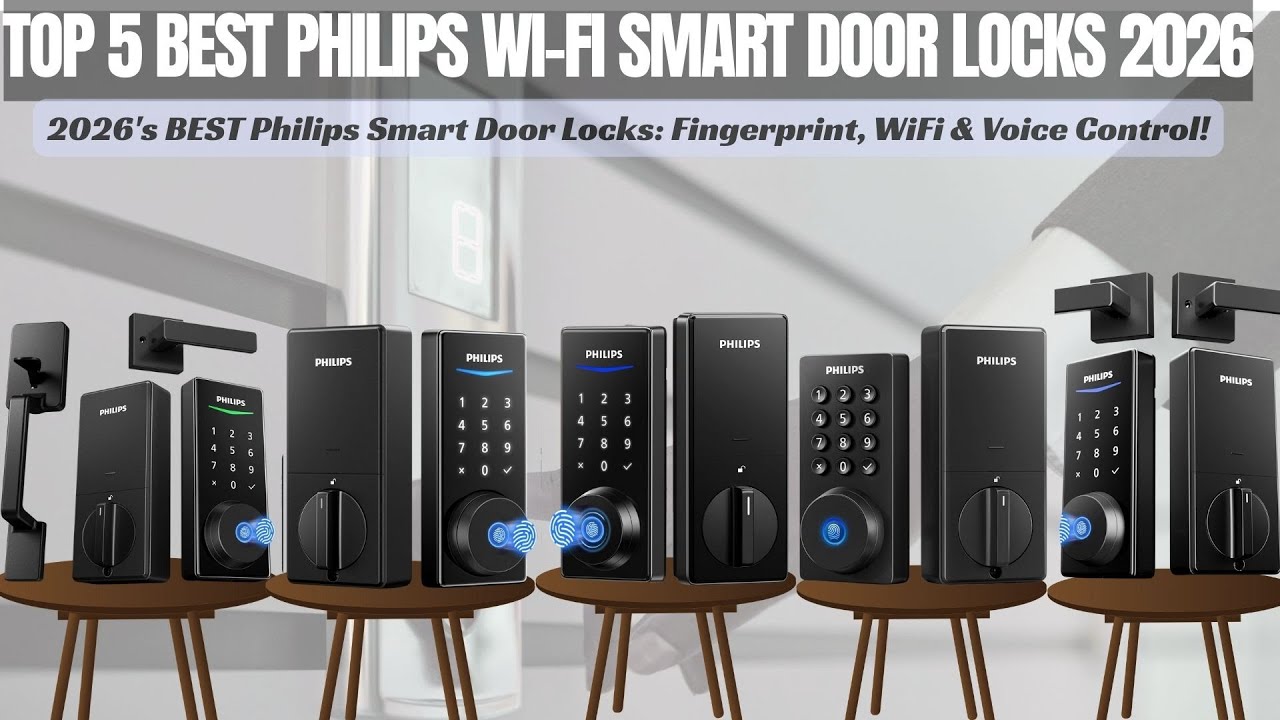
Top 5 Best Philips Wi-Fi Smart Door Locks 2026! (Keyless Entry Review)

Top Pick Zone
All videos
  1. Top 5 Best Philips Wi-Fi Smart Door Locks 2026! (Keyless Entry Review) Top Pick Zone
  2. Will This Philips Fingerprint Smart Lock Satisfy Even the Most Demanding Customers? Smart Home Insights (SHI)
  3. Philips Wi-Fi Smart Deadbolt Review: Pros, Cons, and Who It Fits Origin Finds
  4. Is the Philips Smart Deadbolt Reliable? (1 Week Later) 🔒🏠 Gadgets & Gravel
  5. The Perfect Home Security Upgrade! | Philips HomeAccess Smart Deadbolt Review Eric Hernandez
  6. Before You Buy: Philips 5000 Palm Recognition Smart Deadbolt (Pros & Cons) Roman’s Lab – PC Builds & Gaming Tech

The Verdict

4.1Out of 5

The Philips Wi-Fi Smart Deadbolt gives you a lot of lock for a screwdriver install. Built-in Wi-Fi means remote control, real-time alerts and Alexa or Google Assistant voice commands without a separate hub, and the access options are excellent: fingerprint, passcodes, app, voice and backup keys, up to 100 custom codes, scheduled guest access and an Away Mode for trips. It looks good and the app is easy to use. The price of that always-on Wi-Fi is batteries, and battery life is the theme that draws the most complaints, with eight AA alkaline cells to replace on a regular cycle. Reliability also draws more complaints than praise, and the Wi-Fi, fingerprint reader and auto-lock all split opinion. Buy it if hub-free remote access is the priority and you are happy to keep spare batteries and a physical key handy.

Who should buy it

  • Wi-Fi smart lock seekers
  • Anyone who wants remote access and alerts without buying a separate hub.
  • Households that give codes to cleaners, dog walkers or guests.
  • Alexa, Google Assistant and Home Assistant users.

Who should skip it

  • Anyone who wants to change batteries rarely.
  • Homes with weak 2.4GHz Wi-Fi at the front door.
  • Buyers who need a stated ANSI/BHMA security grade.

Excellent features and hub-free remote access, paid for in frequent battery changes.

Check price on Amazon

More Reviews