Never Miss Another Deal!

No Fuss Deal Surprise Me

Canon PIXMA TS4320 Review: Easy Setup and Crisp Prints for Light Home Use, If You Can Live With Ink Costs

The Canon PIXMA TS4320 Wireless Color Inkjet Printer is best for households. Rated 4.0 out of 5 across 2,327 user ratings. The main drawback: the tri-color cartridge has to be replaced as a whole when any one colour runs out. We scored it 4.0 out of 5.

By ZappyZep, Tech Editor Published February 7, 2026 Updated September 26, 2026
4.0Our score
Canon PIXMA TS4320 Wireless Color Inkjet Printer for Duplex Printing, White – Cost Efficient Home Printer with Copier/Scanner, Compact Design, Easy Setup, 1 Year Limited Warranty Canon PIXMA TS4320 Wireless Color Inkjet Printer for Duplex Printing, White – Cost Efficient Home Printer with Copier/Scanner, Compact Design, Easy Setup, 1 Year Limited Warranty, view 2 Canon PIXMA TS4320 Wireless Color Inkjet Printer for Duplex Printing, White – Cost Efficient Home Printer with Copier/Scanner, Compact Design, Easy Setup, 1 Year Limited Warranty, view 3 Canon PIXMA TS4320 Wireless Color Inkjet Printer for Duplex Printing, White – Cost Efficient Home Printer with Copier/Scanner, Compact Design, Easy Setup, 1 Year Limited Warranty, view 4 Canon PIXMA TS4320 Wireless Color Inkjet Printer for Duplex Printing, White – Cost Efficient Home Printer with Copier/Scanner, Compact Design, Easy Setup, 1 Year Limited Warranty, view 5 Canon PIXMA TS4320 Wireless Color Inkjet Printer for Duplex Printing, White – Cost Efficient Home Printer with Copier/Scanner, Compact Design, Easy Setup, 1 Year Limited Warranty, view 6 Canon PIXMA TS4320 Wireless Color Inkjet Printer for Duplex Printing, White – Cost Efficient Home Printer with Copier/Scanner, Compact Design, Easy Setup, 1 Year Limited Warranty, view 7 Canon PIXMA TS4320 Wireless Color Inkjet Printer for Duplex Printing, White – Cost Efficient Home Printer with Copier/Scanner, Compact Design, Easy Setup, 1 Year Limited Warranty, view 8 Canon PIXMA TS4320 Wireless Color Inkjet Printer for Duplex Printing, White – Cost Efficient Home Printer with Copier/Scanner, Compact Design, Easy Setup, 1 Year Limited Warranty, view 9
Product gallery, 9 images
$69.00$107.99 36% off Check price on Amazon

Prices shown were correct on September 26, 2026 and change frequently.

TL;DRThe Short Answer: Is the Canon PIXMA TS4320 Wireless Color Inkjet Printer Worth It?

Most people who buy a cheap home printer want one thing: for it to print the homework or the boarding pass without an afternoon of fiddling. The Canon PIXMA TS4320 mostly delivers that, with setup buyers call easy, crisp prints and automatic two-sided printing in a small, screenless box. It suits light home use rather than heavy workloads. The catch is what happens after the starter ink runs out, and a Wi-Fi connection that is not always as settled as the setup.

NoFussDeal rates the Canon PIXMA TS4320 Wireless Color Inkjet Printer 4.0 out of 5 at $69.00. Last updated September 26, 2026.

Key Facts

Maximum Sheet Capacity
100
Product Dimensions
14.8"D x 14"W x 6.7"H
Wattage
21 watts
Color
White
Special Feature
Auto-Duplex
Control Method
App, Push Button

What Stands Out

  1. Print, scan and copy, with a flatbed scanner and automatic 2-sided printing
  2. 2-cartridge hybrid ink system (PG-295 black and CL-286 color) with print resolution up to 1200 x 1200 dpi
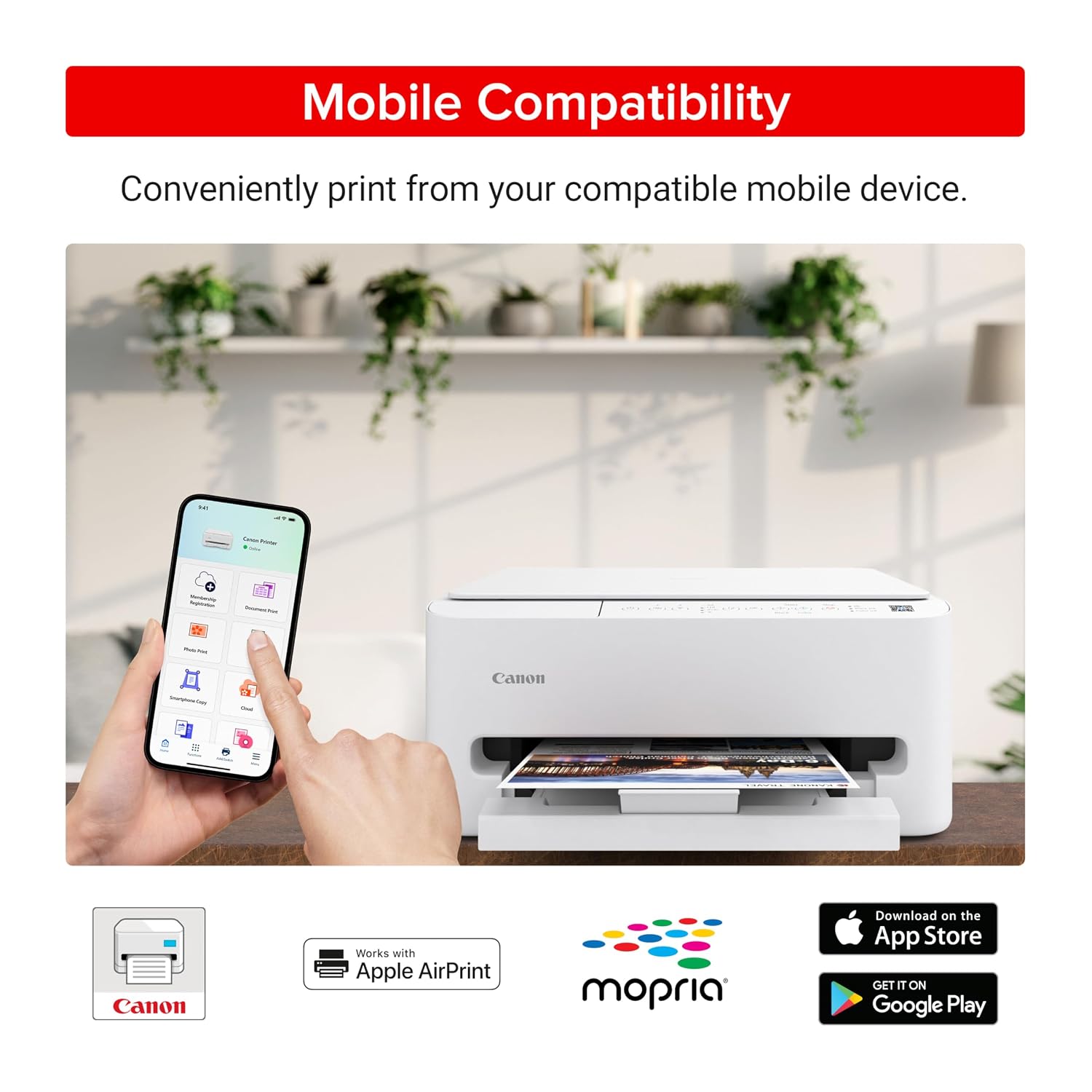
  3. Dual-band Wi-Fi (2.4GHz or 5GHz) and USB, with Canon PRINT, Apple AirPrint and Mopria for phones and tablets
  4. Compact 14.8"D x 14"W x 6.7"H body, 100-sheet paper capacity, EPEAT Silver and ENERGY STAR certified

Strengths and Drawbacks

What works

  • Compact 14.8"D x 14"W x 6.7"H body with a paper tray that tucks out of sight
  • Automatic 2-sided printing saves paper without turning sheets by hand
  • Simple two-cartridge system that owners find easy to replace
  • Print quality buyers rate clearly positive, with crisp text and clean alignment out of the box
  • Setup through the Canon PRINT app is quick, with AirPrint and Mopria for phones and tablets
  • Quiet enough that owners happily work right next to it

What does not

  • Replacement cartridges cost a large share of the printer's own price, so heavy printing gets expensive
  • The tri-color cartridge has to be replaced as a whole when any one colour runs out
  • No display screen and no automatic document feeder; scanning and copying are one page at a time
  • Connectivity, reliability and print speed draw mixed reviews, and some owners have had to reconnect or reinstall it

Features in Depth

01

14 PPM Black, 9 PPM Color, and a 2-Cartridge Hybrid Ink System

Color Speed 9 pages/min Black Speed 14 pages/min Print Resolution 1200 x 1200 dpi

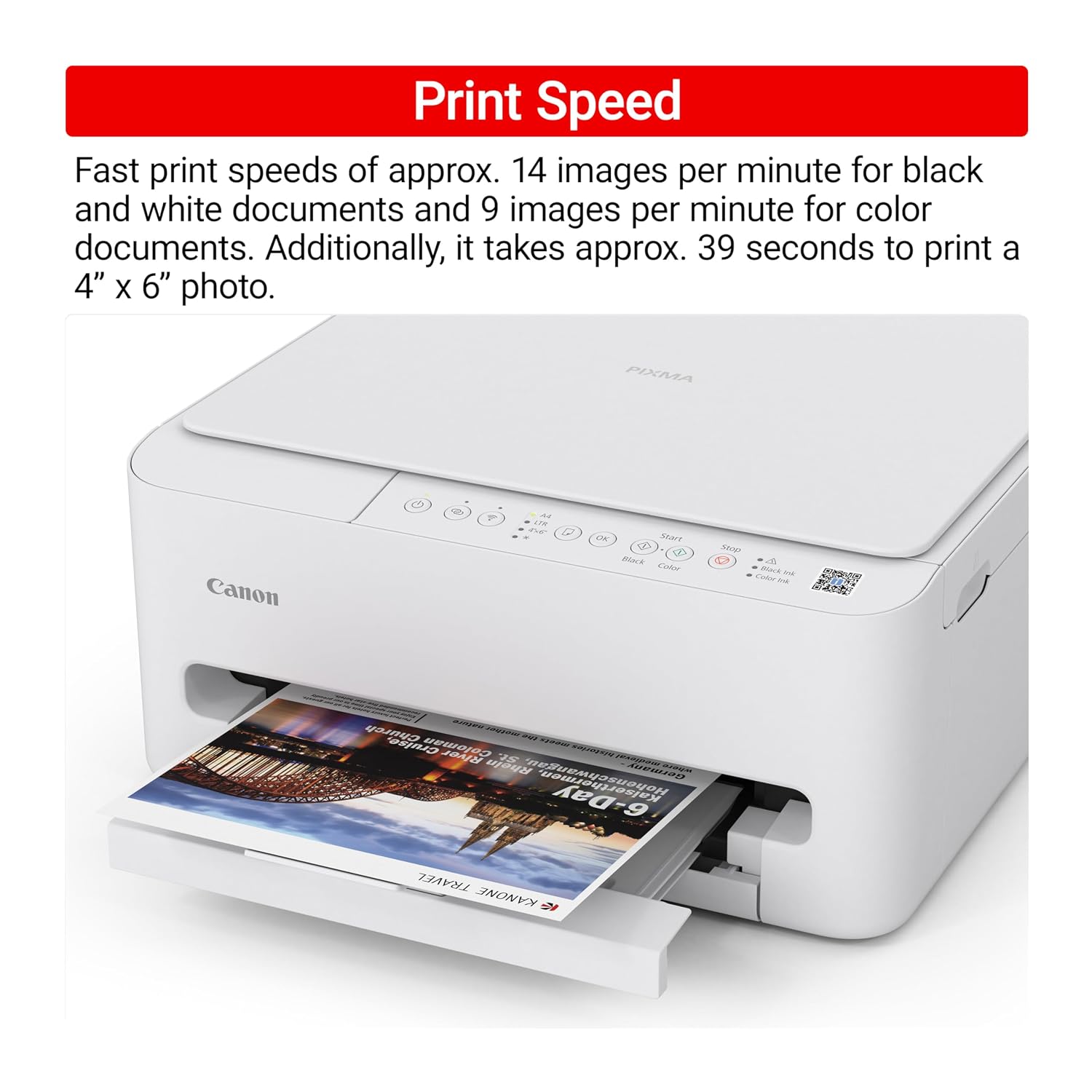
Canon rates the TS4320 at up to 14 pages per minute in black and white and 9 in color, with the first page out in 9.5 seconds and print resolution up to 1200 x 1200 dpi. Those are sensible speeds for homework, recipes, letters and the odd photo rather than long reports, and print speed is one of the themes buyers are split on. Ink comes from Canon's 2-cartridge hybrid system: a PG-295 black cartridge and a CL-286 tri-color cartridge, which Canon says delivers sharp text and vivid colour on both documents and photos. Print quality is one of its two clearest strengths: text comes out crisp, alignment is clean straight out of the box, and output is good enough to impress colleagues, often beyond what you would expect at the price. The trade-off with a two-cartridge design is simplicity against economy: swapping cartridges is easy, and owners find it so, but when one colour in the tri-color cartridge runs low the whole cartridge needs replacing.

$69.00 4.0/5 Check price
02

Automatic Duplex Printing, Dual-Band Wi-Fi and USB

Duplex Automatic Wi-Fi Dual-band 2.4GHz or 5GHz Mobile Printing Canon PRINT, AirPrint, Mopria

Automatic two-sided printing is the feature that sets this apart from the most basic printers: it flips the sheet itself, saving paper without the stand-by-the-tray routine. Owners who did not expect it at this level are pleasantly surprised. For connections, Canon fits dual-band Wi-Fi, working on either 2.4GHz or 5GHz, plus a USB port, and phones and tablets can print through the Canon PRINT app, Apple AirPrint or Mopria Print Service. Macs and phones connect without trouble, and setup through the Canon PRINT app is especially straightforward. Connectivity is nonetheless one of the mixed themes. The problems that do arise usually come after setup, when a new router or a second computer enters the picture, and are typically fixed by rebooting the router or reinstalling the printer. If the connection drops, trying the other Wi-Fi band or falling back to USB for a desktop computer are sensible first steps.

$69.00 4.0/5 Check price
03

Where Buyers Are Split, and What to Check Early

Clearly positive Setup, print quality Mixed Reliability, connectivity, value, speed Paper Capacity 100 sheets

Buyer feedback on this printer is unusually divided. Setup and print quality are the two themes buyers rate clearly positive; printer quality, reliability, value for money, connectivity, ease of use and print speed all come back mixed. Reading the owner experiences alongside the design, most of that division traces to a few predictable areas. Connectivity varies with the home network, and a printer that joined easily on day one may need reconnecting after a router change. Value depends heavily on how much you print, because replacement cartridges cost a large share of the printer's own price, a pattern common to low-cost printers. Reliability is harder to predict: some units run daily without paper jams, while others prove less dependable. The practical response is to use the printer properly in the first weeks, while any return window is still open: print on both sides, connect every device you plan to use, scan and copy a few documents, and see how the connection holds after the router restarts.

$69.00 4.0/5 Check price
04

Compact, Screenless and Built for Light Home Use

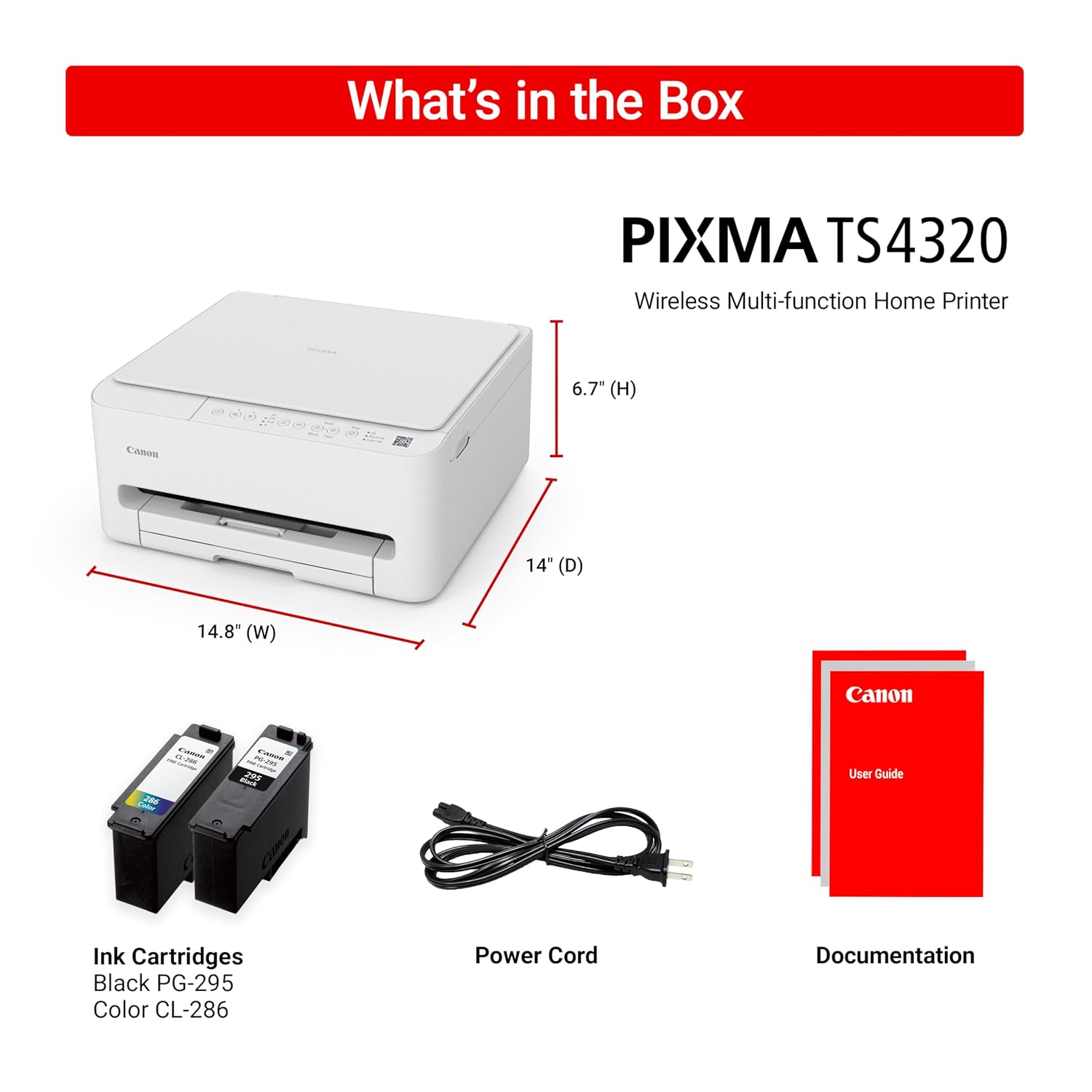
Dimensions 14.8"D x 14"W x 6.7"H Power Consumption 21 watts Certifications EPEAT Silver, ENERGY STAR

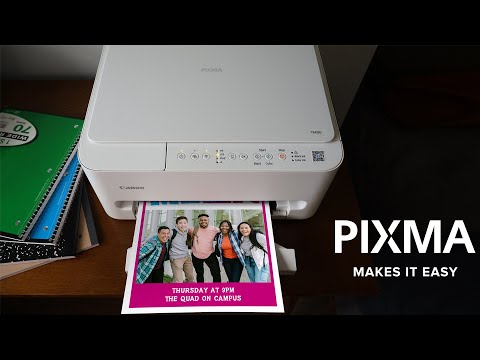
Canon describes the TS4320 as its most affordable and user-friendly option, made for people who need basic printing, scanning and copying without a display screen or advanced features. That is an honest description. There is no screen and no automatic document feeder, so scanning and copying happen one page at a time on the flatbed glass, and settings are handled through push buttons or the Canon PRINT app. In exchange you get a compact 14.8"D x 14"W x 6.7"H body that sits comfortably on a desk, light enough to double as a travel printer, and a paper tray that hides away for a tidy look. It draws 21 watts, carries EPEAT Silver and ENERGY STAR certification, and handles plain paper, card stock, envelopes, labels and glossy photo paper up to letter size, with or without borders. For a household that prints homework, forms, recipes and the occasional photo, it covers the job neatly. For anyone printing heavily every week, cartridge costs will shape the real value more than anything else here.

$69.00 4.0/5 Check price

How We Scored It

Based on
The manufacturer's published specifications and the product's live Amazon listing.
Owner rating
4.0 out of 5 on Amazon, recorded September 26, 2026
How we score
We score each thing that comes up most in owner feedback on the Canon PIXMA TS4320 Wireless Color Inkjet. Eight things come up most in owner feedback: two draw praise and six split opinion. Its ratings average 4.0 stars (63% five stars, 10% four, 6% three and 21% one or two), so every score starts at 80, that average on a 100 point scale. Where opinion is split, we take off 6. Where it draws mostly complaints, we take off 12. Then we read six owner reviews in full (every one we found gave it four or five stars) and move the score up to 5 points either way depending on how the owners who mention it rated the product. Our overall score starts from the same 4.0 star average and loses 0.1 for each thing that draws mostly complaints, with 0.1 more when at least a tenth of ratings are one star, never more than 0.3 in all. Nothing comes off here, so it stays at 4.0. Read our editorial standards

Setup

Five of the six owner reviews we read mention it. All of them gave the product four or five stars. Score 85: we started at 80 and added 5 because the owner reviews that mention it are positive.

85Positive

Printer Quality

Canon lists the printer output as Color and the printer type as Inkjet. Five of the six owner reviews we read mention it, and those owners gave the product four or five stars, so the complaints come from the wider group of buyers. None of the reviews we read say what goes wrong, so this score rests on the buyer ratings. 27% of all ratings are three stars or fewer, which is where complaints like th…

Read the full note (483 characters)

Canon lists the printer output as Color and the printer type as Inkjet. Five of the six owner reviews we read mention it, and those owners gave the product four or five stars, so the complaints come from the wider group of buyers. None of the reviews we read say what goes wrong, so this score rests on the buyer ratings. 27% of all ratings are three stars or fewer, which is where complaints like this usually sit. Score 74: we started at 80 and took off 6 because opinion is split.

74Mixed

Reliability

Two of the six owner reviews we read mention it, and those owners gave the product four or five stars, so the complaints come from the wider group of buyers. 27% of all ratings are three stars or fewer, which is where complaints like this usually sit. Score 74: we started at 80 and took off 6 because opinion is split.

74Mixed

Connectivity

Canon lists the connectivity technology as USB, Wi-Fi. Two of the six owner reviews we read mention it, and those owners gave the product four or five stars, so the complaints come from the wider group of buyers. None of the reviews we read say what goes wrong, so this score rests on the buyer ratings. 27% of all ratings are three stars or fewer, which is where complaints like this usually sit. Sc…

Read the full note (465 characters)

Canon lists the connectivity technology as USB, Wi-Fi. Two of the six owner reviews we read mention it, and those owners gave the product four or five stars, so the complaints come from the wider group of buyers. None of the reviews we read say what goes wrong, so this score rests on the buyer ratings. 27% of all ratings are three stars or fewer, which is where complaints like this usually sit. Score 74: we started at 80 and took off 6 because opinion is split.

74Mixed

Ease Of Use

Five of the six owner reviews we read mention it, and those owners gave the product four or five stars, so the complaints come from the wider group of buyers. None of the reviews we read say what goes wrong, so this score rests on the buyer ratings. 27% of all ratings are three stars or fewer, which is where complaints like this usually sit. Score 74: we started at 80 and took off 6 because opinio…

Read the full note (411 characters)

Five of the six owner reviews we read mention it, and those owners gave the product four or five stars, so the complaints come from the wider group of buyers. None of the reviews we read say what goes wrong, so this score rests on the buyer ratings. 27% of all ratings are three stars or fewer, which is where complaints like this usually sit. Score 74: we started at 80 and took off 6 because opinion is split.

74Mixed

Print Speed

Canon lists the maximum print speed (color) as 9 pages_per_minute and the max printspeed monochrome as 14 pages_per_minute. Five of the six owner reviews we read mention it, and those owners gave the product four or five stars, so the complaints come from the wider group of buyers. None of the reviews we read say what goes wrong, so this score rests on the buyer ratings. 27% of all ratings are thr…

Read the full note (535 characters)

Canon lists the maximum print speed (color) as 9 pages_per_minute and the max printspeed monochrome as 14 pages_per_minute. Five of the six owner reviews we read mention it, and those owners gave the product four or five stars, so the complaints come from the wider group of buyers. None of the reviews we read say what goes wrong, so this score rests on the buyer ratings. 27% of all ratings are three stars or fewer, which is where complaints like this usually sit. Score 74: we started at 80 and took off 6 because opinion is split.

74Mixed

Owner Satisfaction

63% of ratings are five stars and 10% are four. 6% are three stars and 21% are one or two. A sizable share of ratings sit low, so weigh the drawbacks below as heavily as the praise. Score 80: its 4.0 star average on a 100 point scale.

80Mostly Positive

Value for Money

Five of the six owner reviews we read mention it, and those owners gave the product four or five stars, so the complaints come from the wider group of buyers. None of the reviews we read say what goes wrong, so this score rests on the buyer ratings. 27% of all ratings are three stars or fewer, which is where complaints like this usually sit. Score 74: we started at 80 and took off 6 because opinio…

Read the full note (411 characters)

Five of the six owner reviews we read mention it, and those owners gave the product four or five stars, so the complaints come from the wider group of buyers. None of the reviews we read say what goes wrong, so this score rests on the buyer ratings. 27% of all ratings are three stars or fewer, which is where complaints like this usually sit. Score 74: we started at 80 and took off 6 because opinion is split.

74Mixed

Specifications

Size and weight

Maximum Sheet Capacity
100
Product Dimensions
14.8"D x 14"W x 6.7"H

Power

Wattage
21 watts

Materials and warranty

Color
White

Other specifications

Special Feature
Auto-Duplex
Control Method
App, Push Button

What Buyers Say

Based on 2,327 Amazon customer ratings, averaging 4.0 out of 5, recorded 12 September 2026. See the reviews on Amazon

★★★★★

Print Shop Quality in your Home or Office

First off let me start out by saying I did not have high expectations for a device that costs this little but it has exceeded my needs by a wide margin.Secondly, my last pixma mx432 printer … Read it on Amazon
EnduroRider88 · June 22, 2026 · Verified
★★★★★

Easy Setup and Reliable

I’ve been using this printer almost every day for work and school over the past few weeks, and it’s been amazing. It was incredibly easy to set up. I previously had an older Canon printer, a… Read it on Amazon
Lauren Garcia · July 25, 2026 · Verified
★★★★★

Loved this!

Price was unbeatable. Got this in a heartbeat. Prints so nicely.I wanted a smaller printer that doesn’t take up too much space but can print heavy loads and this one can do both.The ink is v… Read it on Amazon
Katherine · July 27, 2026 · Verified
★★★★★

Its fanatstic easy and priced great

I ordered a printer from another company and it was a nightmare .It dumped plack ink all over my sheets.I decided to try a utube instalation guide .It was 1 hour and 15 min.I returned the pr… Read it on Amazon
Bunny Worcester · August 25, 2026 · Verified
★★★★★

Easy to use

Great product for the money. So far so good. Easy to set up and works great. I would recommend
Lyne · September 1, 2026 · Verified
★★★★☆

Does the job. I had connectivity issues, easily fixed.

Bought this as travel printer. We live in the Phoenix valley often spend a month in the hills to escape the heat. Instead of taking my large printer with me, I opted for this smaller printer… Read it on Amazon
Clint Koenig · July 25, 2026 · Verified

Setting It Up

  1. Unpack and Install Cartridges

    Remove all protective tape and packaging, then fit the starter PG-295 black and CL-286 color cartridges that come in the box, following the setup documentation. Let the printer finish its first-time preparation before you print.

  2. Load Paper and Configure Tray

    Load plain letter-size paper into the tray, which holds up to 100 sheets and tucks away when not in use. Set the paper guides snugly against the stack without bending it. For photos, labels, envelopes or card stock, choose the matching media type when you print.

  3. Connect to WiFi Network

    Use the Canon PRINT app on your phone or computer to join the printer to your network; buyers find this the easiest route. The printer works on either the 2.4GHz or 5GHz band. If it will not connect, restarting the router is the most common fix.

  4. Install Canon PRINT App

    Install the Canon PRINT app on the phones and tablets you plan to print from, and use it for printing, scanning and copying settings. iPhones and iPads can also print through Apple AirPrint, and Android devices through Mopria Print Service.

  5. Configure Computer Printing

    Add the printer on each computer that needs it, over Wi-Fi or with a USB cable for a desktop close by. Connecting every device you plan to use now, rather than later, surfaces any network problems while they are easy to sort out.

  6. Test Print and Calibration

    Print a test page to check alignment and colour, then try a two-sided document and a scan from the flatbed. If text looks misaligned or colours are streaky, run the alignment and cleaning tools from the Canon PRINT app or your computer's printer settings.

Common Questions

Does it have a screen or an automatic document feeder?

Neither. Canon designed the TS4320 as its simplest all-in-one, without a display or an automatic document feeder. Everyday controls are push buttons, and settings, scanning and status live in the Canon PRINT app or on your computer. Scanning and copying happen one sheet at a time on the flatbed glass, which is fine for forms and homework but slow for long multi-page documents.

How reliable is the WiFi connection?

Connectivity is one of the themes buyers are split on, and results depend a lot on the home network. Problems tend to appear after setup, for example when a new router or a second computer is added, and are usually fixed by restarting the router or reinstalling the printer. Canon fits dual-band Wi-Fi on either 2.4GHz or 5GHz, so trying the other band is a reasonable step, and USB is there as a fallback for a nearby computer.

Is this printer actually reliable long-term?

Reliability is a mixed theme among buyers. Many units handle daily use for work and school without paper jams, while others prove less dependable. The sensible approach is to use it properly in the first weeks, printing, scanning, copying and two-sided jobs from every device you rely on, while you can still return it, and to keep the paperwork for Canon's manufacturer warranty.

Is setup actually easy, or does it require technical know-how?

Setup is one of the two things buyers rate most clearly positive. It gets running quickly through the Canon PRINT app, and Macs and phones connect without trouble. If it will not join the network, restarting the router is the most common fix.

How does print quality compare to more expensive printers?

Print quality is the other theme buyers rate clearly positive. Text is crisp, alignment is clean straight out of the box and results go well beyond what you would expect at this level. Canon quotes print resolution up to 1200 x 1200 dpi from its 2-cartridge hybrid ink system, and it handles glossy photo paper, labels, envelopes and card stock up to letter size, with or without borders.

Is it worth buying given the ink costs and mixed feedback?

For light home printing, yes. Setup and print quality are strong, and automatic two-sided printing is a real bonus at this level. The main caution is ink: replacement cartridges cost a large share of the printer's own price, a pattern common to low-cost printers, and higher-yield XL cartridges soften that if you print regularly. If you print heavily every week, a printer with cheaper running costs will serve you better.

On Video

6 videos

Review Canon PIXMA TS4320 Wireless Color Inkjet Printer for Duplex Printing, White – Cost Efficient

Sizzle & Spark
All videos
  1. Review Canon PIXMA TS4320 Wireless Color Inkjet Printer for Duplex Printing, White – Cost Efficient Sizzle & Spark
  2. Canon PIXMA TS4320 Wireless Multi-Function Home Printer CanonUSA
  3. Canon PIXMA TS4320 Wireless Color Inkjet Printer for Duplex Printing, Muktar AMZN Wizard
  4. Review Of the Canon TS4320 Printer Printer Insider
  5. Move-In | PIXMA Makes It Easy, TS4320 CanonUSA
  6. Valentine’s Day Special 💖 Canon PIXMA TS4320 Review | Wireless Duplex Home Printer ShopiGuide

The Verdict

4.0Out of 5

The Canon PIXMA TS4320 does the basics well. Setup and print quality are its clearest strengths, with crisp text, clean alignment out of the box and a quiet, compact body that fits on a desk, and automatic two-sided printing is a genuine bonus at this level. Canon keeps it deliberately simple: no screen, no document feeder, just print, scan and copy with push buttons and the Canon PRINT app, dual-band Wi-Fi, USB, AirPrint and Mopria. The mixed side is real. Connectivity, reliability, print speed, ease of use and value all divide buyers; the connection problems that crop up are usually fixed with a router restart or a reinstall, but they happen. The biggest ongoing cost is ink, since replacement cartridges run to a large share of the printer's price and the tri-color cartridge is replaced as one unit. For homework, forms, recipes and the occasional photo, it is a sensible, tidy choice.

Who should buy it

  • Households who print homework, forms and recipes occasionally and want a small printer that tucks onto a desk or shelf
  • Light home users who value automatic two-sided printing and wireless printing over the lowest running costs
  • Students who want to print from phones and tablets through the Canon PRINT app, AirPrint or Mopria
  • Casual photo printers who want borderless prints up to letter size without investing in a dedicated photo printer
  • Anyone wanting a secondary or travel printer with basic scan and copy on a flatbed

The Canon PIXMA TS4320 is an easy-to-set-up, compact all-in-one that prints crisply and adds automatic two-sided printing, a good fit for light home use. Heavy printers should look at a model with cheaper ink, because cartridge costs, not the printer, will decide what this one really costs you. Test the Wi-Fi with every device you plan to use while you can still return it.

Check price on Amazon

More Reviews