Never Miss Another Deal!

No Fuss Deal Surprise Me

TATTMUSE A285M Pro Review: Fast to Set Up, Inconsistent on Paper

A battery-powered thermal printer built to fit in a bag rather than on a desk, the A285M Pro promises AirPrint simplicity and zero ink costs. The tension is real: setup is fast and the printer is genuinely portable, but print quality is mixed, clear in some cases and poor in others.

By ZappyZep, Tech Editor Published November 3, 2026 Updated November 4, 2026
4.0Our score
TATTMUSE AirPrint Wi-Fi Inkless Portable Printer for Travel, 8.5x11, White TATTMUSE AirPrint Wi-Fi Inkless Portable Printer for Travel, 8.5x11, White, view 2 TATTMUSE AirPrint Wi-Fi Inkless Portable Printer for Travel, 8.5x11, White, view 3 TATTMUSE AirPrint Wi-Fi Inkless Portable Printer for Travel, 8.5x11, White, view 4 TATTMUSE AirPrint Wi-Fi Inkless Portable Printer for Travel, 8.5x11, White, view 5 TATTMUSE AirPrint Wi-Fi Inkless Portable Printer for Travel, 8.5x11, White, view 6 TATTMUSE AirPrint Wi-Fi Inkless Portable Printer for Travel, 8.5x11, White, view 7 TATTMUSE AirPrint Wi-Fi Inkless Portable Printer for Travel, 8.5x11, White, view 8 TATTMUSE AirPrint Wi-Fi Inkless Portable Printer for Travel, 8.5x11, White, view 9 TATTMUSE AirPrint Wi-Fi Inkless Portable Printer for Travel, 8.5x11, White, view 10 TATTMUSE AirPrint Wi-Fi Inkless Portable Printer for Travel, 8.5x11, White, view 11 TATTMUSE AirPrint Wi-Fi Inkless Portable Printer for Travel, 8.5x11, White, view 12 TATTMUSE AirPrint Wi-Fi Inkless Portable Printer for Travel, 8.5x11, White, view 13 TATTMUSE AirPrint Wi-Fi Inkless Portable Printer for Travel, 8.5x11, White, view 14 TATTMUSE AirPrint Wi-Fi Inkless Portable Printer for Travel, 8.5x11, White, view 15
Product gallery, 15 images

Prices shown were correct on November 4, 2026 and change frequently.

TL;DRThe Short Answer: Is the TATTMUSE A285M Pro Worth It?

Carrying a printer in a backpack sounds like a solved problem until the print quality disappoints, and that split is what separates happy buyers of this machine from frustrated ones. The TATTMUSE A285M Pro trades cartridges for thermal paper rolls, connects over Wi-Fi without any app, and fits a carrying case meant for a car or a job site. It suits travelers, small offices and anyone who prints occasional letter-size pages away from a desk - but photo work, duplex printing and archival documents are not what this machine is for.

NoFussDeal rates the TATTMUSE A285M Pro 4.0 out of 5 at $129.99, compared against 4 alternatives sold on Amazon. Last updated November 4, 2026.

Key Facts

Maximum Sheet Capacity
160
Product Dimensions
10.39"D x 3.07"W x 1.77"H
Color
White
Item Weight
600 g
Special Feature
Wi-Fi AirPrint, No APP/Driver Required, Local Private Printing, No Third‑Party Servers, Multi-Device Simultaneous Connec
Control Method
App

What Stands Out

  1. AirPrint direct printing lets iPhone, iPad and Mac users print from the native share sheet with no app or driver install, cutting setup to connecting to the printer's own Wi-Fi hotspot.
  2. Thermal print engine needs no ink, toner or ribbon - only thermal paper - which removes the recurring cartridge cost that usually dominates printer ownership.
  3. Multi-device Wi-Fi connection supports up to 10 devices submitting jobs without a single-device Bluetooth handoff or print queue wait.
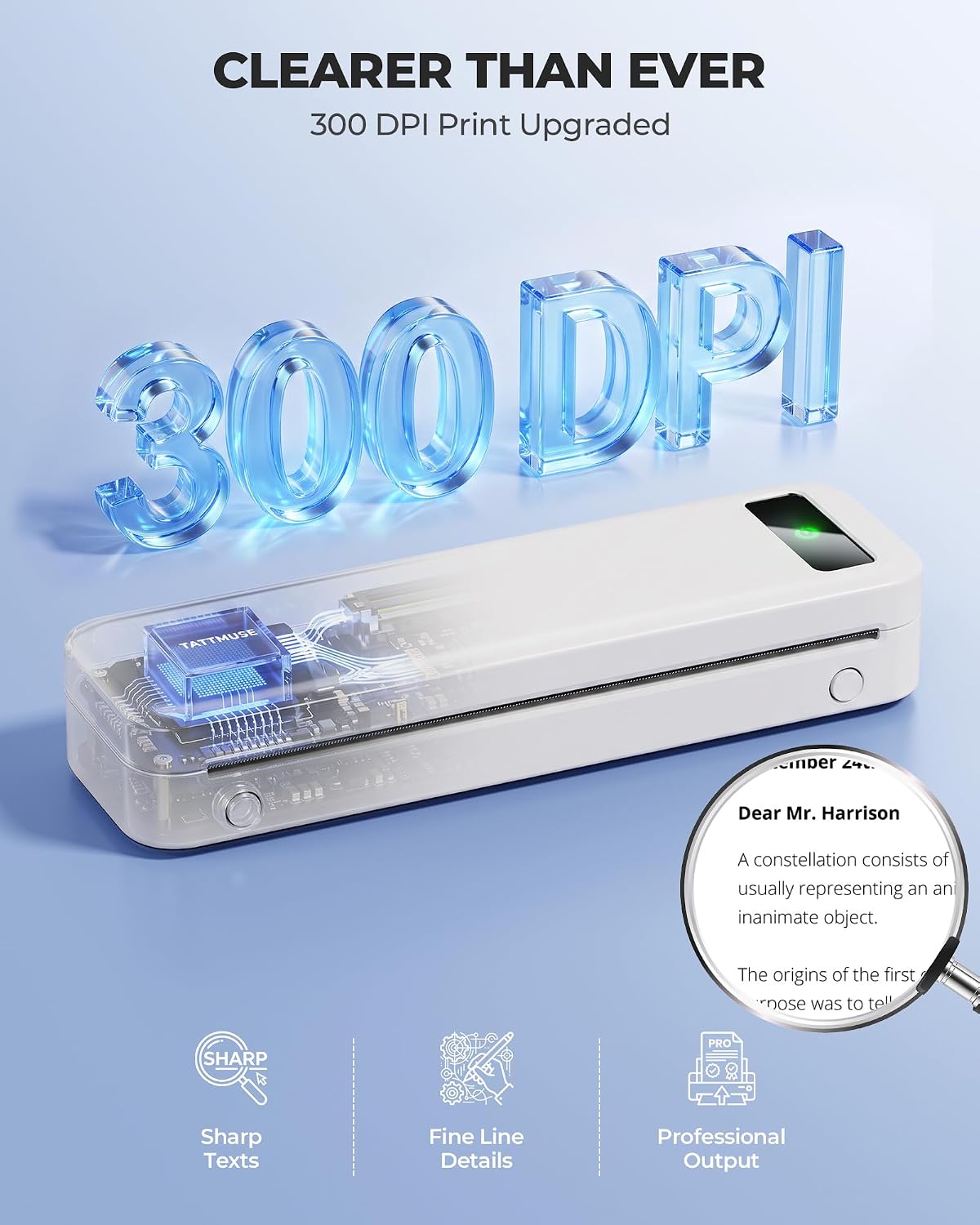
  4. 300 x 300 dpi monochrome output at up to 10 pages per minute, aimed at text documents and notes rather than detailed graphics.
  5. A built-in rechargeable battery rated for 160 sheets per charge, plus a carrying case and four paper roll widths in the box, for printing in a car, on site or at home.
  6. Local printing architecture keeps files on the local network rather than routing them through third-party cloud servers.

Strengths and Drawbacks

What works

  • Sets up in minutes via AirPrint with no app or driver to install, which matters most when printing on the move.
  • Needs no ink, toner or ribbon, removing the recurring cartridge expense typical of desktop printers.
  • Fits easily into a bag or car thanks to its compact footprint and included carrying case.
  • Connects almost instantly once paired, reducing the usual wait before the first page prints.
  • Supports up to 10 devices on the same network without a sequential print queue, useful for shared use.
  • Keeps files on the local network rather than a third-party cloud server, a privacy-conscious design for sensitive documents.

What does not

  • Print quality is mixed - clear in some cases, poor in others.
  • Thermal paper fades over time, a known trait of thermal printing technology that limits the printer to short-term or disposable documents rather than archival records.
  • No duplex printing is offered, so two-sided documents require manually flipping and reinserting pages.
  • Monochrome-only output at 300 x 300 dpi is not suited to photos or detailed graphics.
  • Value is debatable: the price is justified if the print is clear, but it is harder to justify given the mixed print results.
  • Battery capacity caps out at 160 sheets per charge, which can require a mid-session recharge for larger print runs.

Features in Depth

01

AirPrint, No App or Driver Needed

Connectivity Wi-Fi App/Driver Required No Compatible Devices iPhone, iPad, Mac

The A285M Pro connects to iPhone, iPad and Mac natively through Apple's AirPrint protocol, so there is no companion app, driver download or file conversion step - the printer simply appears in the standard print menu once a device joins its Wi-Fi hotspot. For a printer meant to travel, this matters because it removes the usual friction of pairing software before the first page comes out, especially useful when switching between locations or devices on short notice. It connects quickly and is easy to set up and use. The tradeoff is platform scope: the manufacturer lists compatibility with iPhone, iPad and Mac specifically, and buyers on other platforms may need to check compatibility before assuming plug-and-play behavior. It connects instantly, though not 'via Bluetooth' as some describe it: the manufacturer specifies Wi-Fi, and the link is the printer's own Wi-Fi network, not a Bluetooth pairing.

$129.99 4.0/5 Check price
02

Inkless Thermal Printing

Resolution 300 x 300 dpi Max Speed (mono) 10 ppm Duplex Simplex only

Instead of ink, toner or a ribbon, the A285M Pro heats thermal paper directly to form the image, at a specified resolution of 300 x 300 dpi and a rated speed of up to 10 pages per minute in monochrome. This matters for running costs: there is no cartridge to replace, though thermal printing generally depends on the paper used and thermal prints can fade over time. Print quality is the most divided theme among buyers: some find it clear while others say it does not print well. The printer is strictly black-and-white and simplex (single-sided) only, with no duplex printing offered, and it is not built for photo-quality output.

$129.99 4.0/5 Check price
03

Multi-Device Wi-Fi Without a Queue

Simultaneous Connections Up to 10 devices Cloud Upload Required No Print Queue Not required

The manufacturer specifies support for up to 10 simultaneous device connections over Wi-Fi, letting multiple phones, tablets and Macs submit print jobs without waiting in a sequential queue the way single-device Bluetooth printers typically require. This is aimed squarely at shared-use scenarios - a small office, a family, or a job site where more than one person needs to print without constantly re-pairing a single connection. It also keeps printing local: the manufacturer describes a local-network architecture with no mandatory cloud upload, which matters for anyone printing contracts or private paperwork away from a secured office network. The manufacturer does not state how performance holds up with all ten connections active at once, so multi-user throughput at scale is unknown.

$129.99 4.0/5 Check price
04

Portable Build and Battery Life

Item Weight 600 g Max Sheet Capacity 160 sheets Max Media Size 8.5 x 11 in

At an item weight listed at 600 g (the manufacturer's copy cites 1.5 lb) and dimensions of roughly 10.4 x 3.1 x 1.8 inches, the printer is built to travel in a bag or car rather than sit on a desk. The built-in rechargeable battery is rated to print 160 sheets of 8.5 x 11 inch thermal paper per charge, which the manufacturer also lists as the maximum sheet capacity, and the box includes a carrying case plus four rolls of thermal paper in different widths along with USB-C and USB-A cables. It is portable, fitting easily in bags and cars. The limitation is that the battery is rated for 160 sheets per charge, which may require recharging for heavy printing.

$129.99 4.0/5 Check price

How We Scored It

Based on
The manufacturer's published specifications and the product's live Amazon listing.
Owner rating
4.0 out of 5 on Amazon, recorded November 4, 2026
Compared against
Phomemo Portable Printers Wireless, Rongta Thermal Portable Printers Wireless, HPRT Wireless Portable Printer, Gloryang Inkless Portable Printer, on what their Amazon listings state and, where owners compared them, what those owners say.
How we score
We score each thing that comes up most in owner feedback on the TATTMUSE AirPrint Wi-Fi Inkless Portable Printer. Eight things come up most in owner feedback: six draw praise and two split opinion. Its ratings average 4.0 stars (63% five stars, 9% four, 8% three and 20% one or two), so every score starts at 80, that average on a 100 point scale. Where opinion is split, we take off 6. Where it draws mostly complaints, we take off 12. Our overall score starts from the same 4.0 star average and loses 0.1 for each thing that draws mostly complaints, with 0.1 more when at least a tenth of ratings are one star, never more than 0.3 in all. Nothing comes off here, so it stays at 4.0. Read our editorial standards

Performance

Score 80: its 4.0 star average on a 100 point scale.

80Positive

Ease

Score 80: its 4.0 star average on a 100 point scale.

80Positive

Portability

TATTMUSE lists the item weight as 600 g and the product dimensions as 10.39"D x 3.07"W x 1.77"H. Score 80: its 4.0 star average on a 100 point scale.

80Positive

Compact

Score 80: its 4.0 star average on a 100 point scale.

80Positive

Connectivity

The printer connects instantly via Bluetooth. TATTMUSE lists the connectivity technology as Wi-Fi. Score 80: its 4.0 star average on a 100 point scale.

80Positive

Print

TATTMUSE lists the printing technology as Thermal and the printer output as Monochrome. 28% of all ratings are three stars or fewer, which is where complaints like this usually sit. Score 74: we started at 80 and took off 6 because opinion is split.

74Mixed

Owner Satisfaction

63% of ratings are five stars and 9% are four. 8% are three stars and 20% are one or two. A sizable share of ratings sit low, so weigh the drawbacks below as heavily as the praise. Score 80: its 4.0 star average on a 100 point scale.

80Mostly Positive

Value for Money

28% of all ratings are three stars or fewer, which is where complaints like this usually sit. Score 74: we started at 80 and took off 6 because opinion is split.

74Mixed

How It Compares

Alternatives sold on Amazon, with facts from each product's own listing. Prices are Amazon US prices on the date shown and may have changed since.
ModelFrom the listingPrice
TATTMUSE A285M Pro
  • Resolution: 300 x 300
  • Item Weight: 600 g
  • Connectivity Technology: Wi-Fi
$129.99
Phomemo Portable Printers Wireless4.1 out of 5 · 1,103 ratings on AmazonRead our review →
  • Resolution: 300DPI
  • Item Weight: 1.5 pounds
  • Connectivity Technology: Bluetooth, USB
$59.99on Nov 3, 2026
Rongta Thermal Portable Printers Wireless4.0 out of 5 · 980 ratings on Amazon
  • Resolution: 203 x 203 dpi
  • Item Weight: 0.43 kg
  • Connectivity Technology: Bluetooth
$39.89on Nov 3, 2026
HPRT Wireless Portable Printer4.2 out of 5 · 1,252 ratings on Amazon
  • Item Weight: 0.75 kg
  • Connectivity Technology: Bluetooth, wired
$84.99on Nov 3, 2026
Gloryang Inkless Portable Printer4.2 out of 5 · 4,832 ratings on Amazon
  • Item Weight: 3.1 pounds
  • Connectivity Technology: Bluetooth
$75.99on Nov 3, 2026

Value check

Worked out from the Amazon prices and pack sizes above; prices change, so check the current price before you buy.

Specifications

Size and weight

Maximum Sheet Capacity
160
Product Dimensions
10.39"D x 3.07"W x 1.77"H
Item Weight
600 g

Materials and warranty

Color
White

Other specifications

Special Feature
Wi-Fi AirPrint, No APP/Driver Required, Local Private Printing, No Third‑Party Servers, Multi-Device Simultaneous Connec
Control Method
App

What Buyers Say

Portability and setup speed are the strongest and most consistent themes: the printer is widely described as fitting easily into bags or cars and connecting almost instantly. The absence of ink cartridges is also a clear positive for buyers. Print quality and overall value are where opinion splits hardest - some find the output clear, while others say it does not print well, and some find it worth the price while others do not.

Based on 5,287 Amazon customer ratings, averaging 4.0 out of 5, recorded 3 November 2026. See the reviews on Amazon

5 stars 63%
4 stars 9%
3 stars 8%
2 stars 5%
1 stars 15%

Setting It Up

  1. Charge the printer fully before first use

    Connect the included USB-C cable and let the battery charge completely before the first print run, since a partially charged battery limits how many of the rated 160 sheets per charge are actually available.

  2. Load the thermal paper correctly

    Open the paper bin and insert the roll; a letter-size roll comes pre-loaded in the printer paper bin. The printer ships with a letter-size roll pre-loaded plus three narrower rolls, so match the roll width to the document size being printed.

  3. Connect your device to the printer's Wi-Fi hotspot

    On the iOS or Mac device, go to Wi-Fi settings and join the printer's own network (named after the A285M Pro model), rather than looking for it on a home router's network.

  4. Print via the native share sheet

    Open the file, tap the share icon, choose Print, select the A285M Pro from the printer list, confirm paper size and copies, then print. No app installation is required at any point.

Common Questions

Does the TATTMUSE A285M Pro need ink or toner cartridges?

It uses thermal printing technology, which heats specially coated thermal paper to form text instead of depositing ink or toner. This removes the recurring cartridge cost typical of inkjet or laser printers, but it also means the printer only works with thermal paper - regular copy paper will not print on this machine at all.

Why is print quality mixed?

The print is clear in some cases, while in others it does not print well.

Can this printer print on both sides of a page?

No, it is a simplex (single-sided) printer only, with no duplex option listed by the manufacturer. For a double-sided document, you would need to print one side, manually flip the page, and reinsert it to print the second side, which is slower and less precise than an automatic duplexer.

How does it connect to an iPhone or Mac - Wi-Fi or Bluetooth?

It connects over Wi-Fi using Apple's AirPrint, joining the printer's own Wi-Fi hotspot rather than a Bluetooth pairing. It connects instantly, though not via Bluetooth: the specification lists Wi-Fi as the connectivity type.

How many pages can it print before needing a recharge?

The manufacturer rates the built-in battery for 160 sheets of 8.5 x 11 inch thermal paper per charge, which also matches its listed maximum sheet capacity. For print-heavy days, plan to recharge via the included USB-C cable partway through, since running the battery down mid-job will interrupt printing.

Can multiple people print from their own phones at the same time?

Yes, the manufacturer specifies support for up to 10 simultaneous device connections over Wi-Fi, so multiple phones, tablets and Macs can submit jobs without waiting for a single device to disconnect first. This is aimed at shared settings like small offices or families, though the manufacturer does not state how the printer handles many jobs queued at once in practice.

On Video

6 videos

Portable Printer Wireless for Travel Review

Mike Healy Product Reviews
All videos
  1. Portable Printer Wireless for Travel Review Mike Healy Product Reviews
  2. Portable Thermal Printers That Actually Work | Top 5 Reviewed Jack N Julie
  3. Phomemo Portable Thermal Printer | Tutorial printing on thermal paper and computer paper Household Analyst
  4. Best portable printer in 2024 phomemojp
  5. Wireless Inkless A4 Printer from Amazon! Beebom
  6. Print anything with NEWYES A4 portable printer #newyes #a4printer #coolest NEWYES

The Verdict

4.0Out of 5

The A285M Pro solves a real problem: printing away from a desk, without an app, without a cartridge, and without waiting in a queue if more than one person needs the printer. Its AirPrint setup, Wi-Fi multi-device support and genuinely portable build are the parts of this printer that work as advertised, and its portability and ease of setup stand out. Where it falls short is the part that matters most for a printer - the printed page itself. Because results are mixed, the text may or may not be legible enough for everyday use. Add the lack of duplex printing and the inherent fade-over-time nature of thermal paper, and this is clearly a tool for quick, disposable, on-the-go pages rather than archival documents or anything resembling photo output. Buyers who want a lightweight travel companion for quick pages may be satisfied; those expecting laser-level crispness or long-term document storage may be disappointed.

Who should buy it

  • Travelers and road warriors who need occasional letter-size printing without carrying ink.
  • Small offices or families who want several people printing from their own devices without re-pairing each time.
  • Buyers who value fast, app-free AirPrint setup over print quality.
  • Anyone handling sensitive paperwork who prefers a local connection over cloud-routed printing.
  • Users who print short-term documents like notes, forms or shipping labels rather than contracts meant to last years.

Who should skip it

  • Anyone needing duplex (two-sided) printing for everyday documents.
  • Buyers expecting photo-quality or color output, since this is monochrome-only at 300 x 300 dpi.
  • Users who need consistent, crisp text every time.
  • Anyone storing printed material long-term, since thermal paper is prone to fading with age and heat exposure.

A genuinely portable, easy-to-set-up printer for quick monochrome pages on the move, best suited to buyers who accept thermal printing's quirks rather than expecting desktop-grade print quality.

Check price on Amazon

More Reviews