How do you set up the Ingnok portable monitor for the first time?
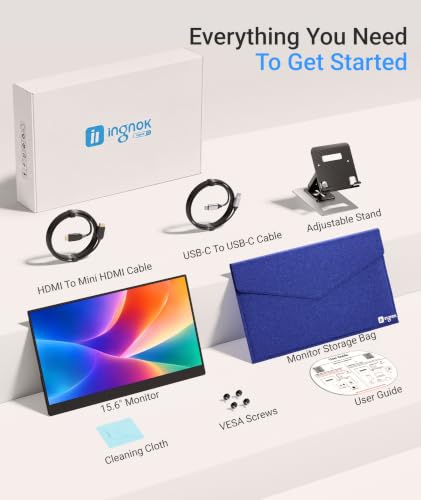
Connect the USB-C to USB-C cable between the monitor and a video-capable USB-C port on your laptop, or use the mini-HDMI cable plus a separate power source if your laptop lacks video-capable USB-C. Most laptops detect the screen instantly, but they often default to duplicating the main display rather than extending it, so open your display settings afterward and switch to 'extend' to get a true second screen.
Why does the Ingnok portable monitor show no signal?
A no-signal screen is most often a cable or power issue rather than a fault with the panel itself: try the alternate cable included in the box, confirm the USB-C port you're using supports video output, and check that a separate power source is connected if you're using mini-HDMI for video. The screen can also sometimes lose connection after a laptop goes to sleep, and unplugging and replugging the power cable usually reconnects it.
Does the Ingnok portable monitor need a driver?
No driver installation is needed; it's designed as a plug-and-play display that laptops, Macs, PCs and consoles recognize automatically over USB-C or HDMI. If it isn't detected, the fix is almost always a cable or display-settings check rather than a missing driver.
Is the included stand adjustable, and is it tall enough for a desk setup?
The stand offers two fixed screw positions on the back of the monitor, low or slightly higher, and can feel sturdy even in portrait orientation. It can sit a little low for a taller main monitor or PC setup, so if matching height to an existing monitor is important, expect to pair it with a taller stand.
What is the Ingnok YN02D model, and is it the same as this monitor?
YN02D is the model number listed by the manufacturer for this 15.6-inch USB-C portable monitor, so listings referencing YN02D describe the same product covered here.
Can the Ingnok portable monitor be used for gaming or with a console?
That refresh rate and response time suit casual and older-console gaming but are not aimed at competitive or high-frame-rate gaming.