Never Miss Another Deal!

No Fuss Deal Surprise Me

InnoView Portable Monitor Review: A Capable Travel Screen, Not a Color Reference

A 15.6-inch USB-C travel monitor built for anyone who needs a spare screen in a bag rather than a color-critical workstation. It sets up quickly and slips into a backpack in its own cover, but reliability is mixed - many units work well out of the box, while some stop working after some time or have connection issues - and that trade-off is what buyers need to weigh against its low cost.

By ZappyZep, Tech Editor Published September 30, 2026 Updated September 30, 2026
4.3Our score
InnoView Portable Monitor, 15.6 Inch FHD 1080P HDMI USB C Second External Monitor for Laptop, Desktop, MacBook, Phones, Tablet, PS5/4, Xbox, Switch, Built-in Speaker with Protective Case InnoView Portable Monitor, 15.6 Inch FHD 1080P HDMI USB C Second External Monitor for Laptop, Desktop, MacBook, Phones, Tablet, PS5/4, Xbox, Switch, Built-in Speaker with Protective Case, view 2 InnoView Portable Monitor, 15.6 Inch FHD 1080P HDMI USB C Second External Monitor for Laptop, Desktop, MacBook, Phones, Tablet, PS5/4, Xbox, Switch, Built-in Speaker with Protective Case, view 3 InnoView Portable Monitor, 15.6 Inch FHD 1080P HDMI USB C Second External Monitor for Laptop, Desktop, MacBook, Phones, Tablet, PS5/4, Xbox, Switch, Built-in Speaker with Protective Case, view 4 InnoView Portable Monitor, 15.6 Inch FHD 1080P HDMI USB C Second External Monitor for Laptop, Desktop, MacBook, Phones, Tablet, PS5/4, Xbox, Switch, Built-in Speaker with Protective Case, view 5 InnoView Portable Monitor, 15.6 Inch FHD 1080P HDMI USB C Second External Monitor for Laptop, Desktop, MacBook, Phones, Tablet, PS5/4, Xbox, Switch, Built-in Speaker with Protective Case, view 6 InnoView Portable Monitor, 15.6 Inch FHD 1080P HDMI USB C Second External Monitor for Laptop, Desktop, MacBook, Phones, Tablet, PS5/4, Xbox, Switch, Built-in Speaker with Protective Case, view 7 InnoView Portable Monitor, 15.6 Inch FHD 1080P HDMI USB C Second External Monitor for Laptop, Desktop, MacBook, Phones, Tablet, PS5/4, Xbox, Switch, Built-in Speaker with Protective Case, view 8 InnoView Portable Monitor, 15.6 Inch FHD 1080P HDMI USB C Second External Monitor for Laptop, Desktop, MacBook, Phones, Tablet, PS5/4, Xbox, Switch, Built-in Speaker with Protective Case, view 9
Product gallery, 9 images

Prices shown were correct on September 30, 2026 and change frequently.

TL;DRThe Short Answer: Is the InnoView Portable Monitor Worth It?

Need a second screen that survives getting tossed in a laptop bag without babying it? This 15.6-inch USB-C monitor plugs in with one cable, needs no drivers, and folds into its own protective cover - convenience that lives up to the promise. The catch: on-screen color calibration can drift unpredictably from day to day and after a laptop reboot in at least one detailed report, so it suits a backup or travel screen far better than color-sensitive editing work.

NoFussDeal rates the InnoView Portable Monitor 4.3 out of 5 at $63.99, compared against 4 alternatives sold on Amazon. Last updated September 30, 2026.

Key Facts

Item Dimensions D x W x H
0.26"D x 13.99"W x 8.7"H
Power Consumption
18 watts
Voltage
5 volts
Color Gamut
80
Item Weight
2.7 pounds
Connectivity Technology
HDMI

What Stands Out

  1. 15.6-inch Full HD IPS panel at 1920x1080 with a 178-degree viewing angle, so the image holds its color and contrast even when viewed off-center.
  2. Two full-function USB-C ports plus one HDMI port let it connect to laptops, desktops, phones, tablets, and consoles like PS5, PS4, Xbox and Switch without extra drivers.
  3. A single USB-C cable can carry both video and power, so a compatible laptop can run the monitor without a separate power adapter.
  4. A PU leather smart cover doubles as an adjustable stand for landscape or portrait use and protects the 4mm-thin panel in transit.
  5. A built-in speaker is listed, so audio can play through the monitor itself.
  6. A 3ms response time and FreeSync support are aimed at console and casual gaming use on the go.

Strengths and Drawbacks

What works

  • Single-cable USB-C setup with power pass-through means fewer cables to pack when traveling.
  • The IPS panel's 178-degree viewing angle keeps the image visible and consistent when the monitor is angled awkwardly on a desk.
  • The included smart cover doubles as a protective case and stand, so no separate accessory is needed for travel or propping the screen up.
  • Wide device compatibility across laptops, desktops, phones, tablets and consoles suits buyers who want one screen for multiple uses.
  • Built-in speakers let it work as a standalone display without needing headphones or an external speaker cable.
  • Setup is often quick and easy, with the screen working as soon as it is plugged in.

What does not

  • Connection experiences vary - instant recognition is not always guaranteed, and some setups need extra steps or troubleshooting to get the display working.
  • The on-screen menu's control wheel has a pointed spot that can be physically uncomfortable to click repeatedly while adjusting settings.
  • The kickstand built into the cover is functional but basic, offering fewer adjustment options than a dedicated multi-angle stand.

Features in Depth

01

15.6-Inch Full HD IPS Display with HDR

Screen Size 15.6 inches Resolution 1920 x 1080 Brightness 250 cd/m²

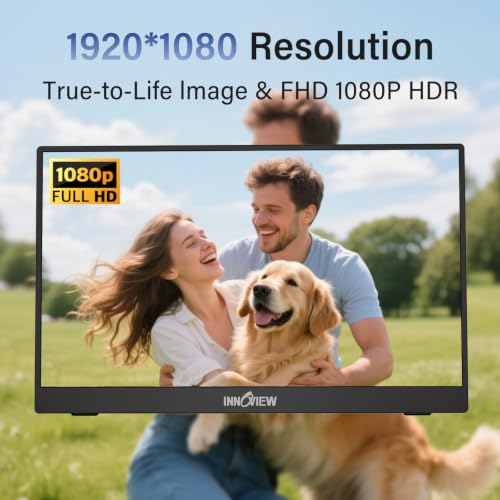
The panel is a 15.6-inch A+ IPS display at 1920x1080 (FHD 1080p), with a 178-degree viewing angle, 250 cd/m² brightness, a 1200:1 contrast ratio, an 80% color gamut (sRGB), and a matte finish, plus HDR picture enhancement. IPS technology is chosen for portable monitors specifically because it holds color and brightness fairly consistently as the viewing angle changes, which matters when the monitor sits propped at an awkward desk angle or is shared side-by-side with a laptop screen. The picture is sharp and crisp, useful for everyday tasks like crafting or basic graphics editing. Color fidelity is where views diverge sharply: colors can prove difficult to true up through the on-screen brightness, tone and individual RGB controls, and a workable setting may not survive a laptop reboot. That points to a panel suited to everyday viewing, web work and video rather than any task where accurate, stable color reproduction is the deciding factor.

$63.99 4.3/5 Check price
02

USB-C and HDMI Plug-and-Play Connectivity

USB-C Ports 2 HDMI Ports 1 Power Consumption 18 watts

The monitor offers two full-function USB-C ports and one HDMI port, and the maker says no app or drivers are needed to run it. A single USB-C cable can carry both video and power to the monitor, drawing from the connected device, and the monitor supports power pass-through reverse charging. This single-cable design is the main appeal of a USB-C portable monitor over an older HDMI-only design, which needs a separate power brick. The maker notes the connected device needs to support Thunderbolt 3.0/4.0 or USB 3.1 Type-C DP Alt-Mode for single-cable use; otherwise, HDMI plus a separate power cable is required, and that cable is not included. Setup is usually quick and plug-and-play, though getting it connected and working can take extra effort, and the instructions may not be easy to follow.

$63.99 4.3/5 Check price
03

Smart Protective Cover and Kickstand

Weight 2.7 pounds Thickness 0.26 inches Stand Type Folding smart cover

A PU leather smart cover doubles as a folding stand, using two grooves to hold the monitor at an adjusted angle in landscape or portrait orientation, and it wraps the screen for protection in a bag while traveling. At 2.7 pounds and roughly 0.26 inches thick, the monitor is built to be carried rather than left on a desk, and the scratch-resistant cover is meant to protect it from squeezing when it is packed in a backpack. The protective cover is a welcome inclusion, and the stand itself is functional but basic rather than fully adjustable. This suits anyone who needs a monitor that travels well; it is less suited to a fixed desk setup where a sturdier, height-adjustable stand or VESA mount would be preferred.

$63.99 4.3/5 Check price
04

Built-In Speaker, 3ms Response Time and FreeSync

Response Time 3 milliseconds Refresh Rate 60 Hz Adaptive Sync FreeSync

The monitor includes a built-in speaker, so audio plays without a separate cable, and it lists a 3-millisecond response time with FreeSync adaptive sync support at a 60Hz refresh rate. A fast response time and adaptive sync are aimed at reducing motion blur and screen tearing during fast-moving content, which matters for the console gaming the monitor is marketed for with PS5, PS4, Xbox and Switch. The 60Hz refresh rate caps it as a general-purpose and casual gaming display rather than one built for competitive, high-frame-rate play. The screen is described as responsive and convenient for everyday second-screen use, though no account specifically addresses the built-in speaker's sound quality.

$63.99 4.3/5 Check price

How We Scored It

Based on
The manufacturer's published specifications and the product's live Amazon listing.
Owner rating
4.3 out of 5 on Amazon, recorded September 30, 2026
Compared against
UPERFECT Portable Monitor 15.6", ARZOPA Portable Monitor 15.6'' FHD 1080P, 15.6” Portable Monitor, MNN 15.6" FHD Portable Monitor, on what their Amazon listings state and, where owners compared them, what those owners say.
How we score
We score each thing that comes up most in owner feedback on the InnoView Portable Monitor. Eight things come up most in owner feedback: six draw praise and two split opinion. Its ratings average 4.3 stars (72% five stars, 11% four, 6% three and 11% one or two), so every score starts at 86, that average on a 100 point scale. Where opinion is split, we take off 6. Where it draws mostly complaints, we take off 12. Then we read eight owner reviews in full, including the critical ones, and move the score up to 5 points either way depending on how the owners who mention it rated the product. Our overall score starts from the same 4.3 star average and loses 0.1 for each thing that draws mostly complaints, with 0.1 more when at least a tenth of ratings are one star, never more than 0.3 in all. Nothing comes off here, so it stays at 4.3. Read our editorial standards

Quality

Two of the eight owner reviews we read mention it. One gave the product four or five stars and one gave it three or fewer. Score 86: we started at 86 and left it there because the owner reviews that mention it are evenly split.

86Positive

Portability

InnoView lists the item dimensions d x w x h as 0.26"D x 13.99"W x 8.7"H and the item weight as 2.7 pounds. Seven of the eight owner reviews we read mention it. Six gave the product four or five stars and one gave it three or fewer. Score 90: we started at 86 and added 4 because the owner reviews that mention it are positive.

90Positive

Picture

InnoView lists the picture quality enhancement technology as HDR. Two of the eight owner reviews we read mention it. One gave the product four or five stars and one gave it three or fewer. Score 86: we started at 86 and left it there because the owner reviews that mention it are evenly split.

86Positive

Easy

Five of the eight owner reviews we read mention it. All of them gave the product four or five stars. Score 91: we started at 86 and added 5 because the owner reviews that mention it are positive.

91Positive

Reliability

One of the eight owner reviews we read mentions it, and that owner gave the product four or five stars, so the complaints come from the wider group of buyers. None of the reviews we read say what goes wrong, so this score rests on the buyer ratings. 17% of all ratings are three stars or fewer, which is where complaints like this usually sit. Score 80: we started at 86 and took off 6 because opinio…

Read the full note (411 characters)

One of the eight owner reviews we read mentions it, and that owner gave the product four or five stars, so the complaints come from the wider group of buyers. None of the reviews we read say what goes wrong, so this score rests on the buyer ratings. 17% of all ratings are three stars or fewer, which is where complaints like this usually sit. Score 80: we started at 86 and took off 6 because opinion is split.

80Mixed

Connectivity

Opinion is split on the connectivity, with some reporting seamless laptop integration while others experienced connection issues. InnoView lists the connectivity technology as HDMI. Three of the eight owner reviews we read mention it, and those owners gave the product four or five stars, so the complaints come from the wider group of buyers. 17% of all ratings are three stars or fewer, which is wh…

Read the full note (505 characters)

Opinion is split on the connectivity, with some reporting seamless laptop integration while others experienced connection issues. InnoView lists the connectivity technology as HDMI. Three of the eight owner reviews we read mention it, and those owners gave the product four or five stars, so the complaints come from the wider group of buyers. 17% of all ratings are three stars or fewer, which is where complaints like this usually sit. Score 80: we started at 86 and took off 6 because opinion is split.

80Mixed

Owner Satisfaction

72% of ratings are five stars and 11% are four. 6% are three stars and 11% are one or two. The spread skews positive, but enough ratings sit low that the drawbacks below are worth reading. One of the eight owner reviews we read gave it three stars or fewer. We look for the critical ones on purpose. Score 86: its 4.3 star average on a 100 point scale.

86Mostly Positive

How It Compares

Alternatives sold on Amazon, with facts from each product's own listing. Prices are Amazon US prices on the date shown and may have changed since.
ModelFrom the listingPrice
InnoView Portable Monitor
  • 15.6 Inch FHD 1080P
  • Brightness: 250 cd, 80% color gamut
  • 2 Type-C ports and 1 HDMI port
$63.99
UPERFECT Portable Monitor 15.6"4.5 out of 5 · 1,435 ratings on AmazonRead our review →
  • 125% sRGB, 350 nits brightness
  • 0.23" thin, 1.4 lbs weight
  • 0–180° adjustable stand, VESA mount
$65.99on Sep 29, 2026
ARZOPA Portable Monitor 15.6'' FHD 1080P4.4 out of 5 · 127 ratings on AmazonRead our review →
  • 1920 x 1080 resolution, 178° viewing angle
  • Brightness: 300 cd
  • 1.6 lb, 0.35-inch thick
$87.99on Sep 28, 2026
15.6” Portable Monitor4.3 out of 5 · 214 ratings on AmazonRead our review →
  • 1000:1 contrast ratio, 100% sRGB
  • 0.23" thin, 1.26 lbs
  • 2 Type-C ports, 1 Mini-HDMI port
$85.48on Sep 28, 2026
MNN 15.6" FHD Portable Monitor4.3 out of 5 · 12,612 ratings on AmazonRead our review →
  • 1920x1080 resolution, 178° viewing angle
  • 2 Full Feature Type-C ports
  • 60Hz refresh rate
$43.81on Sep 29, 2026

Value check

Worked out from the Amazon prices above; prices change, so check the current price before you buy.

Specifications

Size and weight

Item Dimensions D x W x H
0.26"D x 13.99"W x 8.7"H
Item Weight
2.7 pounds

Power

Power Consumption
18 watts
Voltage
5 volts

Materials and warranty

Color Gamut
80

Other specifications

Connectivity Technology
HDMI

What Buyers Say

Buyers generally describe an easy plug-and-play, out-of-box experience, with the picture quality and portability singled out as strong points, especially for travel; it can also suit uses such as crafting or displaying a smart-home hub. The recurring split is over durability and connectivity - many report it works well right out of the box, while others say a unit stopped working after some time or had connection issues.

Based on 6,252 Amazon customer ratings, averaging 4.3 out of 5, recorded 29 September 2026. See the reviews on Amazon

5 stars 72%
4 stars 11%
3 stars 6%
2 stars 3%
1 stars 8%
★★★★★

Flawless companion for the Tapo H500 hub! Fast delivery and great price.

I needed a dedicated monitor to display my Tapo H500 camera hub, and this 15.6-inch InnoView portable monitor worked absolutely flawlessly! The buying experience was fantastic—it arrived wit… Read it on Amazon
BLANG · August 19, 2026 · Verified
★★★★★

Great Portable Monitor – Easy to Connect

I really like this portable monitor. It works great and is very easy to set up. I especially like that it connects easily with a USB-C cable and doesn’t need to be charged separately. Just p… Read it on Amazon
Jeffrey Chamorro · August 21, 2026 · Verified
★★★★★

Pleasantly Surprised

I was a bit hesitant to order this particular product. My hesitation was quickly relieved when I plugged it into my laptop and off she went. So easy to connect, the screen is crisp and clear… Read it on Amazon
Gilbert Jimenez · September 23, 2026 · Verified
★★★★★

Great 2nd display

Monitor is very portable, takes up a small amount of space in laptop bag. Setup is really quick and stand works okay. The resolution was pretty good for basic graphics editing also multiple … Read it on Amazon
vfeagle · August 7, 2026 · Verified
★★★★★

Great

Very nice portable screen. I like the cover flap for protection. Very easy to setup and have had no issues. Color and resolution are fine.
Robert · September 18, 2026 · Verified
★★★★★

A great product at a low price!

I enjoy the products and it works as advertised. A nice back-up screen! It’s a big enough size to be portable and not cumbersome.
Max · September 23, 2026 · Verified

Setting It Up

  1. Check your device's USB-C output

    Confirm your laptop or device supports Thunderbolt 3.0/4.0 or USB 3.1 Type-C DP Alt-Mode before relying on a single USB-C cable, since the manufacturer states this is required for combined video-and-power connection. If your device does not support it, plan to connect via HDMI with a separate power cable instead, as that cable is not included in the box.

  2. Connect with a single USB-C cable where possible

    Plug one full-function USB-C cable between the monitor and your device to carry both video and power, avoiding the need for a separate power brick. This setup often works as soon as it is plugged in; if the picture does not appear, try the HDMI port with a power cable as a fallback before assuming a fault.

  3. Unfold the smart cover into a stand

    Use the two grooves on the PU leather cover to prop the monitor at your preferred angle in landscape or portrait mode. Setting the monitor firmly in one of the grooves before use helps keep it steady during a session.

  4. Adjust brightness and color settings gradually

    Use the on-screen menu to adjust brightness, tone and individual RGB values in small increments rather than jumping to extremes, since these settings do not always hold reliably. If the picture looks acceptable, note the exact values used in case they need to be re-entered later.

  5. If the screen flickers or restarts, check the power source

    The manufacturer notes that because output power differs between devices, the screen may flicker or restart on some connections; giving the monitor its own power is the suggested fix. The manufacturer ties this to power output, so try giving the monitor its own power source before contacting support.

Common Questions

Why does my InnoView portable monitor say no signal?

A no-signal message usually means the connected device is not sending video over the chosen port. If using a single USB-C cable, confirm your laptop or phone supports Thunderbolt 3.0/4.0 or USB 3.1 Type-C DP Alt-Mode, since the manufacturer states this is required for USB-C video. If it does not, switch to the HDMI port with a separate power cable instead, and try a different cable or port before assuming a fault.

How do you set up the InnoView portable monitor?

Connect a single full-function USB-C cable between the monitor and a compatible device for both video and power, or use the HDMI port with a separate power cable if your device isn't compatible with USB-C video. No app or driver installation is required. The screen often works as soon as it is plugged in, though setup can occasionally take extra effort to get it connected, so allow some time if the picture doesn't appear immediately.

Why does the screen flicker or restart randomly?

The manufacturer attributes this to differing output power between connected devices, noting the screen may flicker or restart when a device cannot supply enough power over the USB-C connection. The fix it suggests is to give the monitor its own power rather than relying on the connected device's port to run it.

Is the InnoView portable monitor reliable long-term?

The monitor can work well right out of the box as a back-up screen, though in some cases a unit has stopped working or had connection issues after some time. There's no way to predict which outcome a given unit will have, so buyers should keep proof of purchase for the 18-month warranty stated in the manufacturer's feature copy, which excludes damage from external force.

Does the InnoView monitor work with PS5, Xbox and Switch?

Yes, the manufacturer lists compatibility with PS5, PS4, Xbox and Switch alongside laptops, desktops, tablets and phones via its HDMI and USB-C ports.

Is the color accuracy good enough for photo or video editing?

The panel is listed at an 80% color gamut, and colors can prove difficult to true up through the on-screen menu, with workable adjustments sometimes not holding after a laptop reboot. For color-critical work, this monitor is better treated as a convenience screen than a calibrated reference display.

On Video

6 videos

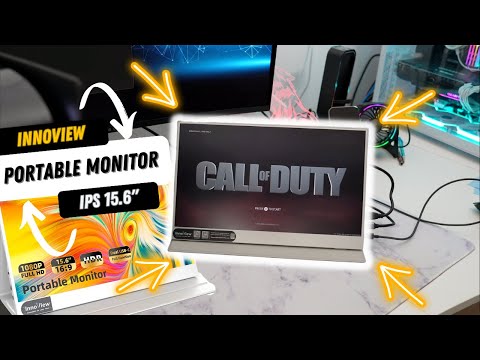
Review: Portable Monitor, InnoView 15.8 Inch FHD 1080P USB C HDMI Second External Monitor

The Breakdown With Luke
All videos
  1. Review: Portable Monitor, InnoView 15.8 Inch FHD 1080P USB C HDMI Second External Monitor The Breakdown With Luke
  2. InnoView 15.6" Portable Monitor Review (2023 Latest) 1080P USB-C FIRE WOLF TECH
  3. InnoView 15.6" Portable Monitor with USB-C and Mini-HDMI input RickMakes
  4. InnoView Portable Monitor 15.6" 1080P Portable Monitor for Laptop with Protective Sleeve Built-in Distractor_Beam Reviews
  5. InnoView Folding Dual Monitors Review Daily Unboxer
  6. InnoView 15.6" 1080P FHD Portable Monitor InnoView Official

The Verdict

4.3Out of 5

The InnoView 15.6-inch portable monitor does what most buyers ask of a second screen: it connects with one USB-C cable, needs no drivers, folds into its own protective cover, and works with everything from a laptop to a game console. That convenience is the product's real strength, and it's why the bulk of feedback is positive on portability, picture sharpness for everyday use, and ease of setup. The tension sits mainly in reliability: many units work well right out of the box, but others stop working or have connection issues after some time, and that's real enough to shape who should buy it even though it isn't universal. Compared with the alternatives it sits against, it's priced above the cheapest option but below several others, without a standout spec advantage like a higher sRGB gamut or brighter panel that some rivals list. It earns its place as a budget-friendly, genuinely portable second screen for everyday computing, casual gaming and travel - just not as a monitor to trust with color-critical work or as a sole, mission-critical display.

Who should buy it

  • Anyone who needs an occasional second screen for travel, remote work, or meetings and values a compact, cased design.
  • Console gamers who want a portable display for PS5, PS4, Xbox or Switch without needing high-refresh-rate performance.
  • Buyers who prioritize simple USB-C plug-and-play setup over advanced color calibration.
  • Anyone pairing it with a laptop for basic productivity, spreadsheets, or crafting where screen accuracy is not critical.

Who should skip it

  • Photographers, designers or video editors who need dependable, accurate color reproduction.
  • Anyone whose device does not support USB-C Alt-Mode or Thunderbolt and who does not want to carry a separate power cable.
  • Buyers who need a monitor as a permanent, mission-critical desk fixture rather than an occasional backup.
  • Those wanting a fully adjustable multi-angle stand rather than a basic folding cover stand.

Buy it for easy, portable second-screen convenience; look elsewhere if consistent color accuracy or guaranteed long-term reliability is the priority.

Check price on Amazon

More Reviews