Never Miss Another Deal!

No Fuss Deal Surprise Me

Vixtan S10 PRO Review: The Middle-Size Triple Screen, and What It Asks of Your Laptop

Vixtan's S10 PRO sits between the tiny clip-on extenders and the heavy 15.6-inch frames: two 14-inch 1080p IPS screens, 3.0 pounds, and a spring-loaded stand that fits laptops from 13 to 17.3 inches. It is well liked for its picture and how easily it packs. The questions worth asking are about balance, cables and power rather than the screens.

By ZappyZep, Tech Editor Published September 27, 2026 Updated September 27, 2026
4.4Our score
Vixtan 14" Triple Laptop Screen Extender, 3.0 lbs Lightweight FHD IPS Portable Monitor for Laptop, USB-C Plug & Play Multi Screen Attachment for 13-17.3" laptops with Windows/Mac/Chrome Vixtan 14" Triple Laptop Screen Extender, 3.0 lbs Lightweight FHD IPS Portable Monitor for Laptop, USB-C Plug & Play Multi Screen Attachment for 13-17.3" laptops with Windows/Mac/Chrome, view 2 Vixtan 14" Triple Laptop Screen Extender, 3.0 lbs Lightweight FHD IPS Portable Monitor for Laptop, USB-C Plug & Play Multi Screen Attachment for 13-17.3" laptops with Windows/Mac/Chrome, view 3 Vixtan 14" Triple Laptop Screen Extender, 3.0 lbs Lightweight FHD IPS Portable Monitor for Laptop, USB-C Plug & Play Multi Screen Attachment for 13-17.3" laptops with Windows/Mac/Chrome, view 4 Vixtan 14" Triple Laptop Screen Extender, 3.0 lbs Lightweight FHD IPS Portable Monitor for Laptop, USB-C Plug & Play Multi Screen Attachment for 13-17.3" laptops with Windows/Mac/Chrome, view 5 Vixtan 14" Triple Laptop Screen Extender, 3.0 lbs Lightweight FHD IPS Portable Monitor for Laptop, USB-C Plug & Play Multi Screen Attachment for 13-17.3" laptops with Windows/Mac/Chrome, view 6 Vixtan 14" Triple Laptop Screen Extender, 3.0 lbs Lightweight FHD IPS Portable Monitor for Laptop, USB-C Plug & Play Multi Screen Attachment for 13-17.3" laptops with Windows/Mac/Chrome, view 7 Vixtan 14" Triple Laptop Screen Extender, 3.0 lbs Lightweight FHD IPS Portable Monitor for Laptop, USB-C Plug & Play Multi Screen Attachment for 13-17.3" laptops with Windows/Mac/Chrome, view 8 Vixtan 14" Triple Laptop Screen Extender, 3.0 lbs Lightweight FHD IPS Portable Monitor for Laptop, USB-C Plug & Play Multi Screen Attachment for 13-17.3" laptops with Windows/Mac/Chrome, view 9 Vixtan 14" Triple Laptop Screen Extender, 3.0 lbs Lightweight FHD IPS Portable Monitor for Laptop, USB-C Plug & Play Multi Screen Attachment for 13-17.3" laptops with Windows/Mac/Chrome, view 10 Vixtan 14" Triple Laptop Screen Extender, 3.0 lbs Lightweight FHD IPS Portable Monitor for Laptop, USB-C Plug & Play Multi Screen Attachment for 13-17.3" laptops with Windows/Mac/Chrome, view 11 Vixtan 14" Triple Laptop Screen Extender, 3.0 lbs Lightweight FHD IPS Portable Monitor for Laptop, USB-C Plug & Play Multi Screen Attachment for 13-17.3" laptops with Windows/Mac/Chrome, view 12 Vixtan 14" Triple Laptop Screen Extender, 3.0 lbs Lightweight FHD IPS Portable Monitor for Laptop, USB-C Plug & Play Multi Screen Attachment for 13-17.3" laptops with Windows/Mac/Chrome, view 13
Product gallery, 13 images

Prices shown were correct on September 27, 2026 and change frequently.

TL;DRThe Short Answer: Is the Vixtan S10 PRO Worth It?

Picture quality is not the risk with the S10 PRO; living with it on a real desk is. Its two 14-inch 1080p IPS panels draw consistent praise and weigh a light 3.0 pounds, but that weight sits on your laptop's lid, so the rear stand and a tilted-back lid are part of the setup. It takes several cables, may need its own power adapter if the screens flicker, and base M1, M2 and M3 MacBooks show just one extra screen without a DisplayLink adapter. Knowing that, it is a well-balanced middle choice.

NoFussDeal rates the Vixtan S10 PRO 4.4 out of 5 at $199.98. Last updated September 27, 2026.

Key Facts

Item Dimensions D x W x H
0.59"D x 8.3"W x 14.29"H
Power Consumption
15 watts
Voltage
5 volts
Connectivity Technology
HDMI
Compatible Devices
Desktop, Laptop

What Stands Out

  1. Two 14-inch 1920 x 1080 IPS screens, rated at 300 nits with 100% sRGB colour and a 178-degree viewing angle.
  2. Weighs 3.0 pounds and is 0.3 inches thin, according to Vixtan.
  3. Reinforced stand with multi-level height adjustment, 180-degree rotation, springs, non-slip pads and a rear support, for 13- to 17.3-inch laptops.
  4. Includes two USB-C cables, a USB-C to USB-A cable and an HDMI cable, with no drivers needed.
  5. Base M1, M2 and M3 MacBooks support one extra screen; dual screens need a DisplayLink adapter.
  6. Backed by a 12-month warranty.

Strengths and Drawbacks

What works

  • Two 14-inch 1080p IPS screens that hold colour well when angled toward you.
  • 3.0 pounds is light for two screens of this size.
  • Stand fits laptops from 13 to 17.3 inches and rotates for sharing a screen.
  • Driver-free on Windows, macOS, ChromeOS, Android and Linux, with an HDMI cable included.
  • Folds up and fits in a laptop bag for travel.
  • Vixtan's support follows up with calls and replacement parts when setup goes wrong.

What does not

  • The weight can tip a laptop lid forward or back unless the screen is angled back and the rear stand is used.
  • Base M1, M2 and M3 MacBooks get only one extra screen without a DisplayLink adapter.
  • Several cables are needed, and laptops short on ports may need a hub.
  • One owner's laptop would not charge while the screens were connected.
  • Flicker or dimness can mean adding a separate 5V/3A power adapter.

Features in Depth

01

Two 14-Inch IPS Screens

Screen Size 14 inches, x2 Resolution 1920 x 1080, IPS Colour 100% sRGB, 300 nits

Both side screens are 14-inch 1920 x 1080 IPS panels, rated by Vixtan at 300 nits with 100% sRGB colour coverage and a 178-degree viewing angle. That wide viewing angle is what keeps colour even when the screens are angled inward, which is how an extender is always used. Screen quality is one of the most praised themes, and owners use it for documents, dashboards and video calls alongside their main work.

$199.98 4.4/5 Check price
02

Spring-Loaded Stand and Balance

Laptop Fit 13 to 17.3 inches Rotation 180 degrees horizontal Weight 3.0 lbs

A reinforced plastic stand with springs and non-slip pads holds laptops from 13 to 17.3 inches, and it adjusts to several heights and rotates 180 degrees horizontally for showing a screen to someone beside you. A rear stand adds support. At 3.0 pounds the unit can pull a near-upright lid forward or back, so the rear stand and a lid tilted back are part of a stable setup.

$199.98 4.4/5 Check price
03

Driver-Free Connection, Several Cables

Cables Included 2 x USB-C, USB-C to USB-A, HDMI Drivers Not required M1/M2/M3 MacBooks One extra screen without DisplayLink

Vixtan includes two USB-C cables, a USB-C to USB-A cable and an HDMI cable, and says no software or drivers are needed on Windows, macOS, ChromeOS, Android or Linux. On base M1, M2 and M3 MacBooks only one extra screen works; a DisplayLink adapter is Vixtan's route to two. With several cables running to the laptop, a USB-C hub can make the desk tidier.

$199.98 4.4/5 Check price
04

Power and Charging

Power Consumption 15 watts Recommended Adapter 5V/3A or higher, for flicker or low brightness Warranty 12 months

The S10 PRO draws up to 15 watts. If the screens flicker or look dim, Vixtan says to connect a 5V/3A or higher adapter to the monitor's dedicated power port, and the laptop's own charger can plug into the back of the extender. One owner found their laptop would not charge while the screens were connected, which matters if you plan long unplugged sessions in airports or on site. A 12-month warranty covers the unit.

$199.98 4.4/5 Check price

How We Scored It

Based on
The manufacturer's published specifications and the product's live Amazon listing.
Owner rating
4.4 out of 5 on Amazon, recorded September 27, 2026
How we score
We score each thing that comes up most in owner feedback on the Vixtan 14" Triple Laptop Screen Extender. Eight things come up most in owner feedback: all eight draw praise. Its ratings average 4.4 stars (73% five stars, 10% four, 8% three and 9% one or two), so every score starts at 88, that average on a 100 point scale. Where opinion is split, we take off 6. Where it draws mostly complaints, we take off 12. Then we read eight owner reviews in full, including the critical ones, and move the score up to 5 points either way depending on how the owners who mention it rated the product. Our overall score starts from the same 4.4 star average and loses 0.1 for each thing that draws mostly complaints, with 0.1 more when at least a tenth of ratings are one star, never more than 0.3 in all. Nothing comes off here, so it stays at 4.4. Read our editorial standards

Performance

Three of the eight owner reviews we read mention it. Two gave the product four or five stars and one gave it three or fewer. Score 90: we started at 88 and added 2 because the owner reviews that mention it are positive.

90Positive

Portability

Vixtan lists the item dimensions d x w x h as 0.59"D x 8.3"W x 14.29"H. None of the eight owner reviews we read mention it. Score 88: its 4.4 star average on a 100 point scale.

88Positive

Screen Quality

Vixtan lists the screen size as 14 inches and the resolution as FHD 1080p. Seven of the eight owner reviews we read mention it. Six gave the product four or five stars and one gave it three or fewer. Score 92: we started at 88 and added 4 because the owner reviews that mention it are positive.

92Positive

Lightweight

Five of the eight owner reviews we read mention it. Four gave the product four or five stars and one gave it three or fewer. Score 91: we started at 88 and added 3 because the owner reviews that mention it are positive.

91Positive

Multitasking

Five of the eight owner reviews we read mention it. Four gave the product four or five stars and one gave it three or fewer. Score 91: we started at 88 and added 3 because the owner reviews that mention it are positive.

91Positive

Ease Of Use

Five of the eight owner reviews we read mention it. Four gave the product four or five stars and one gave it three or fewer. Score 91: we started at 88 and added 3 because the owner reviews that mention it are positive.

91Positive

Owner Satisfaction

73% of ratings are five stars and 10% are four. 8% are three stars and 9% are one or two. The spread skews positive, but enough ratings sit low that the drawbacks below are worth reading. One of the eight owner reviews we read gave it three stars or fewer. We look for the critical ones on purpose. Score 88: its 4.4 star average on a 100 point scale.

88Mostly Positive

Value for Money

One of the eight owner reviews we read mentions it. That owner gave the product four or five stars. Score 88: its 4.4 star average on a 100 point scale.

88Positive

Specifications

Size and weight

Item Dimensions D x W x H
0.59"D x 8.3"W x 14.29"H

Power

Power Consumption
15 watts
Voltage
5 volts

Other specifications

Connectivity Technology
HDMI
Compatible Devices
Desktop, Laptop

What Buyers Say

Screen quality, portability and the difference three screens make to multitasking are the recurring praise, and every theme that comes up draws mostly positive feedback. The criticism is practical rather than about the panels: a unit heavy enough to tip a laptop lid if it is not angled back, a lot of cables, and one owner whose laptop would not charge while the screens were connected.

Based on 187 Amazon customer ratings, averaging 4.4 out of 5, recorded 23 September 2026. See the reviews on Amazon

5 stars 73%
4 stars 10%
3 stars 8%
2 stars 3%
1 stars 6%
★★★★★

Exactly What I Needed for My Home Office.

Now I can dedicate one screen to email, another to my main projects, and the third to video calls or research. It has made multitasking so much easier and less stressful.The image quality is… Read it on Amazon
Blake Thorndike · July 2, 2026 · Verified
★★★★★

Great product & Great support

This is such a great investment! it works better than expected. I did have a little trouble setting it up, but once i got it figured out, everything was perfect. my only confusion was the pl… Read it on Amazon
Kat · August 18, 2026 · Verified
★★★★★

Excellent Triple Screen Extender

Absolutely love this triple screen laptop extender! Setup was easy, and both additional screens connected perfectly with my laptop. The picture quality is clear and bright, and having three … Read it on Amazon
Muhammad Zaidi · August 20, 2026 · Verified
★★★★★

Easy setup and clear screen

This triple laptop screen extender is an absolute game-changer for working on the go. At just 3.0 lbs, it’s remarkably lightweight and fits easily into a laptop bag without adding unneeded b… Read it on Amazon
Dor · August 20, 2026 · Verified
★★★★★

Triple-screen

This triple-screen extender has been a great addition to my laptop. The screens are easy to set up, the image quality is clear, and having three screens makes multitasking much easier. It fe… Read it on Amazon
Miguel · September 1, 2026 · Verified
★★★★★

Efficient and easy to use

Clipped this onto my MacBook and it was working in a minute with one cable. The second screen is sharp enough for docs and I can finally keep a PDF open while I work. Feels solid on the lid … Read it on Amazon
Christine · August 23, 2026 · Verified

Setting It Up

  1. Tilt the laptop screen back

    Open the lid past upright before attaching so the extra weight does not pull it forward.

  2. Fit the stand to the lid

    Set the height, let the springs grip the lid, and deploy the rear stand for support.

  3. Connect the screens

    Use the USB-C cables where your ports carry video, or the HDMI and USB-C to USB-A cables otherwise.

  4. Add power if needed

    If a screen flickers or looks dim, plug a 5V/3A or higher adapter into the monitor's power port; the laptop charger can also plug into the back of the extender.

  5. Set the display mode

    Choose extended, mirrored or portrait for each screen in your computer's display settings.

Common Questions

Does the Vixtan S10 PRO work with MacBooks?

Yes, but base M1, M2 and M3 MacBooks support only one extra screen; Vixtan recommends a DisplayLink adapter to use both.

Does it need drivers?

No. Vixtan says it is plug-and-play on Windows, macOS, ChromeOS, Android and Linux.

What laptop sizes does it fit?

Laptops from 13 to 17.3 inches.

Why do the screens flicker or look dim?

Usually not enough power from the laptop. Vixtan recommends a 5V/3A or higher adapter plugged into the monitor's dedicated power port.

Will my laptop tip over?

It can if the lid is near upright. Tilt the laptop screen back and use the rear stand.

How heavy is it?

3.0 pounds, and 0.3 inches thin.

On Video

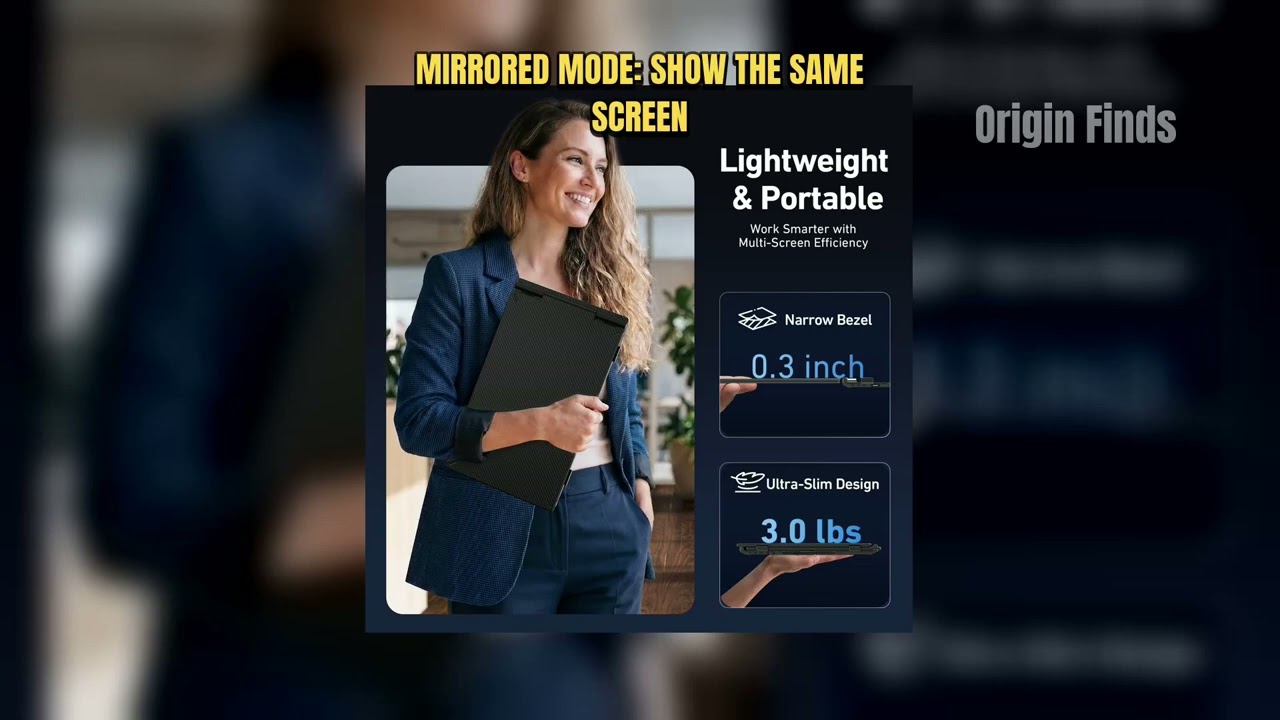
Vixtan Triple Laptop Screen Extender Review: Pros, Cons, and Who It’s For

Origin Finds

The Verdict

4.4Out of 5

The S10 PRO gets the fundamentals right: two sharp 14-inch 1080p IPS screens, light enough at 3.0 pounds to travel, on a stand that fits almost any laptop from 13 to 17.3 inches. Every theme that comes up in feedback leans positive. What it asks of you is practical. Angle the laptop back and use the rear stand, expect several cables and possibly a power adapter, and know that base M-series MacBooks will show only one extra screen without DisplayLink. One owner's laptop would not charge while it was connected, which is worth testing early if you work unplugged. For most Windows laptop owners it is an easy, balanced choice.

Who should buy it

  • Windows laptop owners who want 14 inch side screens
  • Remote workers who split email, calls and main work across three screens.
  • Anyone who wants bigger screens than a 13-inch extender without a 4-pound frame.

Who should skip it

  • Base M1, M2 or M3 MacBook owners who want both screens without a DisplayLink adapter.
  • Anyone who needs to work long sessions on battery with a laptop that will not charge through it.
  • Anyone who wants a single-cable, no-adapter setup.

Sharp, light-for-its-size 14-inch triple screens that most owners love; set the lid back, use the rear stand, and check your laptop's charging and M-series display limits before you rely on it.

Check price on Amazon

More Reviews