Never Miss Another Deal!

No Fuss Deal Surprise Me

ZUMWALT P7 Review: Two Full-Size 15.6-Inch Screens, If Your USB-C Port Is Up to It

Most triple-screen laptop extenders shrink their side panels to keep the weight down. ZUMWALT's P7 goes the other way: two full 15.6-inch 1080p IPS screens in an aluminum frame, for laptops from 13 to 17.3 inches. The screens are the easy part to like. Whether your laptop can drive them over two plain USB-C cables is the part to check first.

By ZappyZep, Tech Editor Published September 27, 2026 Updated September 27, 2026
4.4Our score
15.6" Laptop Screen Extender, 1080P FHD Triple Portable Monitor for Laptops, Ultra-Slim Travel Dual Monitor Fit for 12"-17.3" Laptops, USB-C Plug&Play Extended Screen Compatible with Win/Mac/Android 15.6" Laptop Screen Extender, 1080P FHD Triple Portable Monitor for Laptops, Ultra-Slim Travel Dual Monitor Fit for 12"-17.3" Laptops, USB-C Plug&Play Extended Screen Compatible with Win/Mac/Android, view 2 15.6" Laptop Screen Extender, 1080P FHD Triple Portable Monitor for Laptops, Ultra-Slim Travel Dual Monitor Fit for 12"-17.3" Laptops, USB-C Plug&Play Extended Screen Compatible with Win/Mac/Android, view 3 15.6" Laptop Screen Extender, 1080P FHD Triple Portable Monitor for Laptops, Ultra-Slim Travel Dual Monitor Fit for 12"-17.3" Laptops, USB-C Plug&Play Extended Screen Compatible with Win/Mac/Android, view 4 15.6" Laptop Screen Extender, 1080P FHD Triple Portable Monitor for Laptops, Ultra-Slim Travel Dual Monitor Fit for 12"-17.3" Laptops, USB-C Plug&Play Extended Screen Compatible with Win/Mac/Android, view 5 15.6" Laptop Screen Extender, 1080P FHD Triple Portable Monitor for Laptops, Ultra-Slim Travel Dual Monitor Fit for 12"-17.3" Laptops, USB-C Plug&Play Extended Screen Compatible with Win/Mac/Android, view 6 15.6" Laptop Screen Extender, 1080P FHD Triple Portable Monitor for Laptops, Ultra-Slim Travel Dual Monitor Fit for 12"-17.3" Laptops, USB-C Plug&Play Extended Screen Compatible with Win/Mac/Android, view 7 15.6" Laptop Screen Extender, 1080P FHD Triple Portable Monitor for Laptops, Ultra-Slim Travel Dual Monitor Fit for 12"-17.3" Laptops, USB-C Plug&Play Extended Screen Compatible with Win/Mac/Android, view 8 15.6" Laptop Screen Extender, 1080P FHD Triple Portable Monitor for Laptops, Ultra-Slim Travel Dual Monitor Fit for 12"-17.3" Laptops, USB-C Plug&Play Extended Screen Compatible with Win/Mac/Android, view 9 15.6" Laptop Screen Extender, 1080P FHD Triple Portable Monitor for Laptops, Ultra-Slim Travel Dual Monitor Fit for 12"-17.3" Laptops, USB-C Plug&Play Extended Screen Compatible with Win/Mac/Android, view 10 15.6" Laptop Screen Extender, 1080P FHD Triple Portable Monitor for Laptops, Ultra-Slim Travel Dual Monitor Fit for 12"-17.3" Laptops, USB-C Plug&Play Extended Screen Compatible with Win/Mac/Android, view 11 15.6" Laptop Screen Extender, 1080P FHD Triple Portable Monitor for Laptops, Ultra-Slim Travel Dual Monitor Fit for 12"-17.3" Laptops, USB-C Plug&Play Extended Screen Compatible with Win/Mac/Android, view 12 15.6" Laptop Screen Extender, 1080P FHD Triple Portable Monitor for Laptops, Ultra-Slim Travel Dual Monitor Fit for 12"-17.3" Laptops, USB-C Plug&Play Extended Screen Compatible with Win/Mac/Android, view 13
Product gallery, 13 images

Prices shown were correct on September 27, 2026 and change frequently.

TL;DRThe Short Answer: Is the ZUMWALT P7 Screen Extender Worth It?

Two side screens as big as a standard 15.6-inch laptop display set the P7 apart, and the trade is weight: 4 pounds, as much as many laptops. The bigger question is the port. With two full-featured USB-C ports that carry video, it is plug-and-play over two cables, no driver. Anything else, including base M1, M2 and M3 MacBooks, needs ZUMWALT's fallback: a separate H5-T cable plus HDMI, USB-A, external power and a driver. Check your ports first and it is one of the most generous screen upgrades a laptop can carry.

NoFussDeal rates the ZUMWALT P7 Screen Extender 4.4 out of 5 at $189.99. Last updated September 27, 2026.

Key Facts

Connectivity Technology
USB Type C
Compatible Devices
Desktop, Laptop
Warranty Type
1 Year Manufacturer Warranty

What Stands Out

  1. Two 15.6-inch 1080p IPS screens with a 178-degree viewing angle, rated at 280 nits.
  2. Fits laptops from 13 to 17.3 inches, according to ZUMWALT.
  3. Connects over two USB-C to USB-C cables with no driver when the laptop has full-featured USB-C ports.
  4. Laptops without full-featured USB-C, and M1/M2/M3 MacBooks, need ZUMWALT's H5-T cable, HDMI, USB-A and a driver.
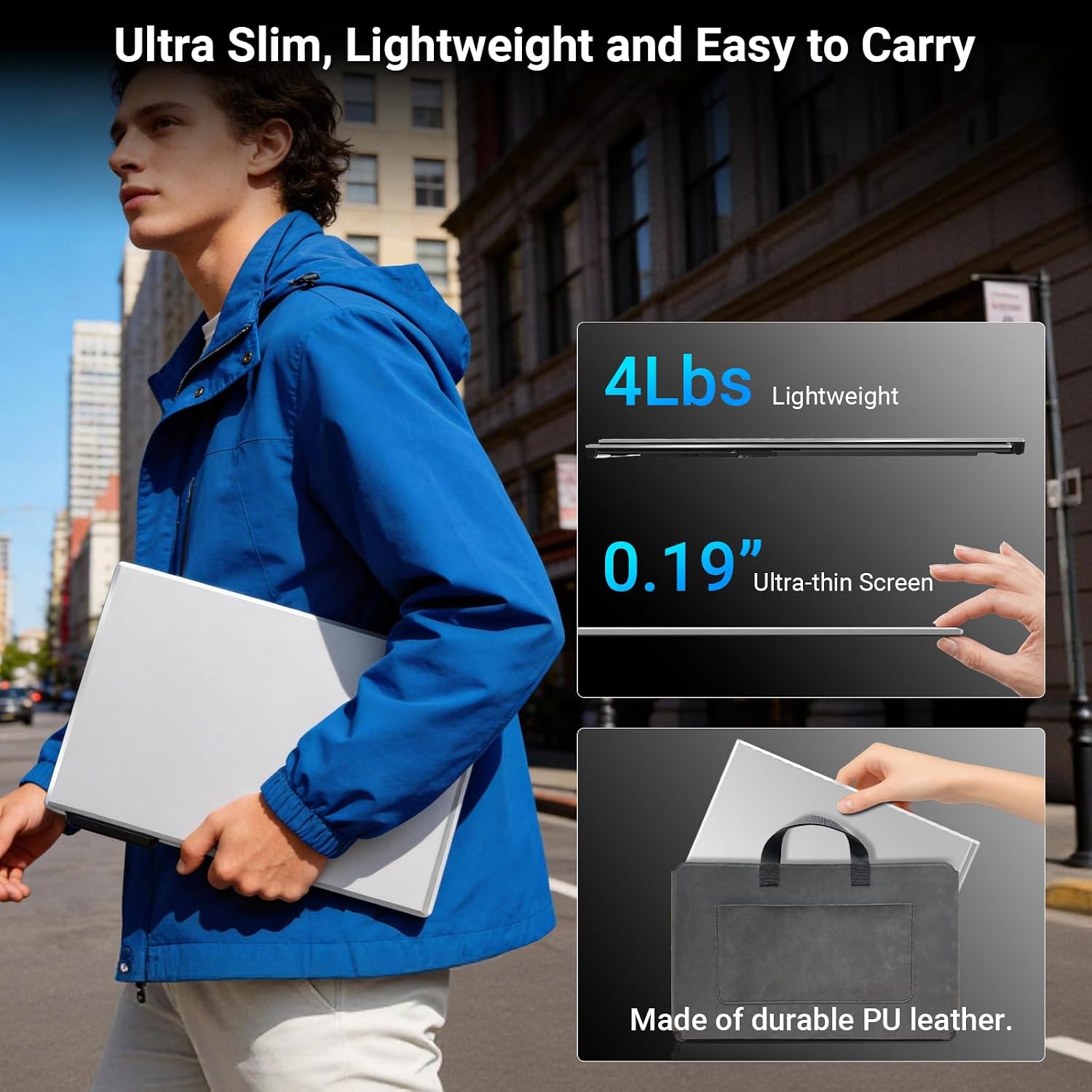
  5. Aluminum alloy shell, 4 pounds, with a leather carry bag, cables and a power adapter in the box.
  6. Extend, mirror and portrait modes, covered by a one-year manufacturer warranty.

Strengths and Drawbacks

What works

  • Two 15.6-inch 1080p IPS screens match the size of most mainstream laptop displays.
  • Plug-and-play over two USB-C cables with no driver on laptops with full-featured USB-C.
  • Aluminum build that is designed to keep weight off the laptop's hinge.
  • Fits a wide range of laptops, from 13 to 17.3 inches.
  • Leather carry bag, cables and power adapter included.
  • Responsive support that follows up on connection problems.

What does not

  • At 4 pounds it is heavy to carry, as heavy as many laptops.
  • Laptops without two video-capable USB-C ports may show only one extra screen until the right cable is used.
  • Base M1, M2 and M3 MacBooks need the separate H5-T cable and a driver.
  • The fallback setup means more cables and an external power source.
  • A glossy finish at 280 nits will show reflections in bright rooms.

Features in Depth

01

Two Full-Size 15.6-Inch IPS Screens

Screen Size 15.6 inches, x2 Resolution 1920 x 1080, IPS Brightness 280 nits

Each side panel is a 15.6-inch 1920 x 1080 IPS display, the same size as the main screen on most mainstream laptops, so windows keep a consistent size as you drag them across three screens. IPS matters on an extender in particular, because the side screens are angled in toward you and a wide 178-degree viewing angle keeps colour and contrast from washing out at that angle. Image quality is one of the most praised traits.

$189.99 4.4/5 Check price
02

Two-Cable USB-C, With a Fallback

Primary Connection 2 x USB-C to USB-C, no driver Fallback H5-T cable + HDMI + USB-A, driver required Ports on Unit 1 HDMI, 1 USB 3.0

On a laptop whose USB-C ports both carry video, two USB-C to USB-C cables are all it takes, with no driver. That is the cleanest way to run a portable screen, because the laptop treats it as a normal monitor. Without full-featured USB-C, or on an M1, M2 or M3 MacBook, ZUMWALT specifies its H5-T cable plus HDMI and USB-A with external power and a driver installation, and suggests contacting it before ordering if you are unsure. Connectivity is the one theme that splits opinion.

$189.99 4.4/5 Check price
03

Aluminum Frame That Spares the Hinge

Weight 4 lbs (1.8 kg) Shell Aluminum alloy Laptop Fit 13 to 17.3 inches

The shell is aluminum alloy, and the design has no top clip or baffle over the lid; ZUMWALT built it to reduce stress on the laptop's hinge rather than hang from it. At 4 pounds that is the right call, since a clip-on design of this weight would pull hard on a thin lid. Quality and portability are the two most praised traits, and one owner who used it for weeks said it puts little stress on the hinge.

$189.99 4.4/5 Check price
04

Modes, Kit and Support

Display Modes Extend, mirror, portrait In the Box Cables, power adapter, leather carry bag Warranty 1 year

Extend, mirror and portrait modes cover the usual jobs: more workspace, presenting across a table, and reading long documents or code. The box includes the cables, a power adapter and a leather carry bag. ZUMWALT promises a reply within 24 hours and backs the P7 with a one-year warranty, and in the connection-trouble story we read, the company followed up by phone and email and offered a replacement cable.

$189.99 4.4/5 Check price

How We Scored It

Based on
The manufacturer's published specifications and the product's live Amazon listing.
Owner rating
4.4 out of 5 on Amazon, recorded September 27, 2026
How we score
We score each thing that comes up most in owner feedback on the 15.6" Laptop Screen Extender. Eight things come up most in owner feedback: seven draw praise and one splits opinion. Its ratings average 4.4 stars (78% five stars, 8% four, 6% three and 8% one or two), so every score starts at 88, that average on a 100 point scale. Where opinion is split, we take off 6. Where it draws mostly complaints, we take off 12. Then we read seven owner reviews in full (every one we found gave it four or five stars) and move the score up to 5 points either way depending on how the owners who mention it rated the product. Our overall score starts from the same 4.4 star average and loses 0.1 for each thing that draws mostly complaints, with 0.1 more when at least a tenth of ratings are one star, never more than 0.3 in all. Nothing comes off here, so it stays at 4.4. Read our editorial standards

Quality

Exceptional quality. Three of the seven owner reviews we read mention it. All of them gave the product four or five stars. Score 93: we started at 88 and added 5 because the owner reviews that mention it are positive.

93Positive

Portability

ZUMWALT lists the item dimensions d x w x h as 10"D x 6"W x 1.11"H. Two of the seven owner reviews we read mention it. All of them gave the product four or five stars. Score 93: we started at 88 and added 5 because the owner reviews that mention it are positive.

93Positive

Easy To Set Up

The device is easy to set up and mount, with clear 1080p picture quality that works seamlessly with both Windows and Mac systems. Four of the seven owner reviews we read mention it. All of them gave the product four or five stars. Score 93: we started at 88 and added 5 because the owner reviews that mention it are positive.

93Positive

Image Quality

Three of the seven owner reviews we read mention it. All of them gave the product four or five stars. Score 93: we started at 88 and added 5 because the owner reviews that mention it are positive.

93Positive

Lightweight

Three of the seven owner reviews we read mention it. All of them gave the product four or five stars. Score 93: we started at 88 and added 5 because the owner reviews that mention it are positive.

93Positive

Connectivity

ZUMWALT lists the connectivity technology as USB Type C. Two of the seven owner reviews we read mention it, and those owners gave the product four or five stars, so the complaints come from the wider group of buyers. None of the reviews we read say what goes wrong, so this score rests on the buyer ratings. 14% of all ratings are three stars or fewer, which is where complaints like this usually sit…

Read the full note (469 characters)

ZUMWALT lists the connectivity technology as USB Type C. Two of the seven owner reviews we read mention it, and those owners gave the product four or five stars, so the complaints come from the wider group of buyers. None of the reviews we read say what goes wrong, so this score rests on the buyer ratings. 14% of all ratings are three stars or fewer, which is where complaints like this usually sit. Score 82: we started at 88 and took off 6 because opinion is split.

82Mixed

Owner Satisfaction

78% of ratings are five stars and 8% are four. 6% are three stars and 8% are one or two. The spread skews positive, but enough ratings sit low that the drawbacks below are worth reading. Score 88: its 4.4 star average on a 100 point scale.

88Positive

Value for Money

One of the seven owner reviews we read mentions it. That owner gave the product four or five stars. Score 88: its 4.4 star average on a 100 point scale.

88Positive

Specifications

Materials and warranty

Warranty Type
1 Year Manufacturer Warranty

Other specifications

Connectivity Technology
USB Type C
Compatible Devices
Desktop, Laptop

What Buyers Say

Build quality, portability and easy setup are the most praised traits, with the 1080p image and the room for multitasking close behind, and value draws very few complaints. Connectivity is the one theme with real friction: some laptops show only one of the two extra screens, or only work from one of their USB-C ports, until the right cable is in play.

Based on 295 Amazon customer ratings, averaging 4.4 out of 5, recorded 23 September 2026. See the reviews on Amazon

5 stars 78%
4 stars 8%
3 stars 6%
2 stars 2%
1 stars 6%
★★★★★

Perfect for multitasking on the go

I’ve been really impressed with this laptop screen extender. The 15.6" 1080P display gives me a lot more workspace without having to carry a full-size monitor around. It’s especially useful … Read it on Amazon
Sarah · August 31, 2026 · Verified
★★★★★

Excellent Portable Triple-Screen Setup

This laptop screen extender has been a great upgrade for my work setup. The two additional 15.6-inch screens are bright, clear, and provide sharp 1080P resolution, making multitasking much e… Read it on Amazon
Anvika · August 30, 2026 · Verified
★★★★★

Great Product to Boost My Work Productivity On‑the‑Go!

This laptop screen extender has completely changed my remote‑working experience. Setup was super easy, truly plug‑and‑play without complicated driver installation. The screen display is clea… Read it on Amazon
Darnell Dillon · August 30, 2026 · Verified
★★★★★

a practical pick if you want extra screen space

I’ve been using this 15.6‑inch triple laptop screen extender for a few weeks, and I’m really happy with how it works. The build quality feels solid with its aluminum shell, and it does not a… Read it on Amazon
Aiyana · September 3, 2026 · Verified
★★★★★

Top-notch screen extender

This laptop screen extender is top-notch. It’s well-built, lightweight, and portable, and it’s extremely easy to set up—just plug it in and go. The brightness remains very stable under most … Read it on Amazon
lorianna · September 2, 2026 · Verified
★★★★☆

Only 2 Screens Not 3

When I gave my initial review I was not happy, however, I am revising my statement. Although I was looking forward to having 3 screens to work with for some reason the extender would not dis… Read it on Amazon
Gwendolyn Prophet · September 11, 2026 · Verified

Setting It Up

  1. Check your USB-C ports

    Confirm both ports support video output (often marked with a DisplayPort or Thunderbolt symbol); if not, ask ZUMWALT about the H5-T cable before ordering.

  2. Fit the frame to the laptop

    Mount the P7 behind the laptop screen; there is no top clip to hook over the lid.

  3. Connect one cable per screen

    Run a USB-C to USB-C cable from each side screen to a full-featured USB-C port.

  4. Use the fallback if needed

    For laptops without full-featured USB-C or M-series MacBooks, connect via the H5-T cable, HDMI and USB-A, add external power and install the driver.

  5. Arrange the displays

    Set each screen to extend, mirror or portrait in your computer's display settings.

Common Questions

What laptop sizes does the ZUMWALT P7 fit?

ZUMWALT gives the fit as 13 to 17.3 inches.

Does it need a driver?

Not on laptops with full-featured USB-C ports, where it runs over two USB-C cables. Laptops without them, and M1/M2/M3 MacBooks, use the H5-T cable with HDMI and USB-A, which needs a driver.

Why does only one extra screen show up?

Usually because one of the USB-C ports in use does not carry video, or the cable does not. Try the other port, check the cable, and contact ZUMWALT about the H5-T cable if your laptop has only one video-capable port.

How heavy is it?

4 pounds (1.8 kg).

Does it put strain on the laptop hinge?

It has no top clip over the lid and is designed to reduce stress on the hinge rather than hang from it.

What's in the box?

The extender, the connection cables, a power adapter and a leather carry bag.

On Video

2 videos

ZUMWALT P7 15.6” Portable Monitor Extender Review: Turn Your Laptop Into a Triple Screen Setup

EchoTech
All videos
  1. ZUMWALT P7 15.6” Portable Monitor Extender Review: Turn Your Laptop Into a Triple Screen Setup EchoTech
  2. ZUMWALT P7 Laptop Screen Extender: Triple Your Productivity? Gadget Doodles

The Verdict

4.4Out of 5

The P7 is for people who want side screens as big as their laptop's own, and it delivers that with two 15.6-inch 1080p IPS panels in an aluminum frame that keeps its weight off the hinge. Build, portability, setup and picture quality all draw strong praise, and value draws almost no complaints. The weight is the physical cost, and the port is the practical one: on laptops with two full-featured USB-C ports it is a clean two-cable setup with no driver, but many laptops and base M-series MacBooks will need ZUMWALT's H5-T cable and driver route instead. Check that first and it is an easy extender to recommend.

Who should buy it

  • Owners of 15 to 17 inch laptops
  • Anyone whose laptop has two full-featured USB-C ports.
  • Remote workers who want full-size side screens and can carry 4 pounds.

Who should skip it

  • Travellers who want the lightest possible setup.
  • Owners of base M1, M2 or M3 MacBooks who do not want a driver-based connection.
  • Anyone whose laptop has only one video-capable USB-C port and no HDMI route.

Two genuinely full-size side screens with a well-thought-out, hinge-friendly frame; confirm your USB-C ports carry video before buying and it is a strong upgrade for a bigger laptop.

Check price on Amazon

More Reviews